.webp)

.jpeg)
 ChatGPT
 Perplexity
 Gemini
 Grok
Grok
 Claude
A web design proposal template is a reusable document structure that lets a freelancer or agency pitch a website project to a client, covering the problem, scope, timeline, deliverables, pricing, and terms in one place. A strong one includes eight sections: cover, intro and problem, scope and approach, timeline, deliverables, pricing, terms, and a clear next step with a signature.
The hard part isn't finding a template. It's writing one that gets signed, not just downloaded and forgotten in a client's inbox. This guide gives you the full section-by-section structure, an annotated example, a 7-step writing process, and an honest look at why a trackable web proposal closes faster than a static PDF or Word doc.
What is a web design proposal template?
A web design proposal template is a pre-built structure you fill in to pitch a website project, a new build, a redesign, or a migration, to a prospective client. It does two jobs at once: it proves you understood the brief, and it removes friction between "we're interested" and "where do I sign."
The key thing to grasp is that this is a vendor-side document. You're the freelancer or agency selling the work, and the template is your sales tool. That changes everything about how it should read. A good web design proposal isn't a brochure about you, it's a structured argument that the client's specific problem has a clear solution, a realistic timeline, and a price that makes sense. Webflow's guide to writing a website proposal frames the same point: the proposal exists to convince the client you're the right designer for their project, not to list your services.
Reusing a template matters for a practical reason. When you pitch one website a quarter, you can afford to write from scratch. When you pitch ten, you can't, and inconsistency between proposals makes you look less established than you are. A template locks your structure, your terms, and your brand so the only things you customize per deal are the problem, the scope, and the price. If you've built a business proposal template before, the logic is the same; the web-specific version just adds sections for design deliverables, hosting, and post-launch support.
Who needs a web design proposal template?
Three groups, mostly. Freelance web designers and developers sending one-off pitches who need to look professional without a sales team. Digital agencies and studios pitching multiple projects a month who need brand consistency and faster turnaround. And anyone responding to a brief or RFP for a website build, where the structure of your answer signals how organized your delivery will be. A freelance web design proposal and an agency one share the same skeleton, the agency version just leans harder on team, process, and case studies.
What a web design proposal should include: 8 key sections
The web design proposal sections below are ordered the way a client reads, top to bottom, problem before price. Skip the price-first instinct: clients who don't yet believe you understand their problem will anchor on cost and bounce. Build the case, then show the number.
1. Cover page
The first impression. Project name, client name, your name or agency, date, and a one-line outcome ("A faster, conversion-focused redesign for [Client]"). Keep it clean. The cover is the only section a client judges purely on design, and you're a web designer, so it has to look the part.
2. Introduction & problem understanding
The most important section, and the one most people rush. In two or three short paragraphs, restate the client's problem in their own words. Why are they redesigning? Slow site? Outdated brand? Low conversion? Naming the real problem proves you listened during discovery, and it's the single biggest predictor of whether the proposal lands. This is where you earn the right to talk about price later.
3. Scope & approach
What you'll do, and how. Define exactly what's in scope, number of pages, custom design vs template, CMS setup, responsive breakpoints, integrations, and, critically, what's out of scope. Scope creep kills web projects, and a clear boundary here protects both sides. Add a short note on your approach: discovery, design, build, review, launch. Clients buy confidence in your process as much as the output.
4. Timeline & milestones
A realistic schedule with named milestones: kickoff, wireframes, design approval, development, QA, launch. Give ranges, not false precision. Tie milestones to client actions ("design sign-off within 5 business days") so delays don't silently become your fault. A visual timeline beats a paragraph every time.
5. Deliverables
A concrete, checkable list of what the client receives: number of unique page designs, source files, a CMS they can edit, documentation, a defined number of revision rounds, and post-launch support terms. Vague deliverables ("a beautiful website") create disputes. Specific ones ("8 custom-designed responsive pages, Webflow CMS, 2 revision rounds, 30 days of post-launch support") create trust.
6. Pricing & packages
The number, framed by value, not just cost. Offer two or three packages (e.g. Essential / Standard / Premium) when it fits; tiered pricing lets the client choose how much rather than whether, and it reliably nudges the average deal up. Break down what each tier includes, state your payment schedule (a common split is a deposit up front and the balance at launch), and make the total impossible to misread.
7. Terms & contract
The protective layer. Payment terms, revision limits, intellectual property and ownership transfer on final payment, cancellation policy, and what happens with late client feedback. Many designers couple the proposal with a short contract, HubSpot's free website proposal template and most freelance templates include a terms block for exactly this reason. You don't need legalese; you need clarity that prevents the awkward conversation three weeks in.
8. Next step & e-signature
End with one obvious action. Not "let me know your thoughts", that's where proposals go to die. Instead: "Approve and sign below to lock your kickoff date." A signature block (digital, ideally) turns a yes into a binding commitment in one click. Under the US ESIGN Act, an electronic signature carries the same legal weight as a handwritten one, so there's no reason to make the client print, sign, and scan.

Web design proposal example (annotated)
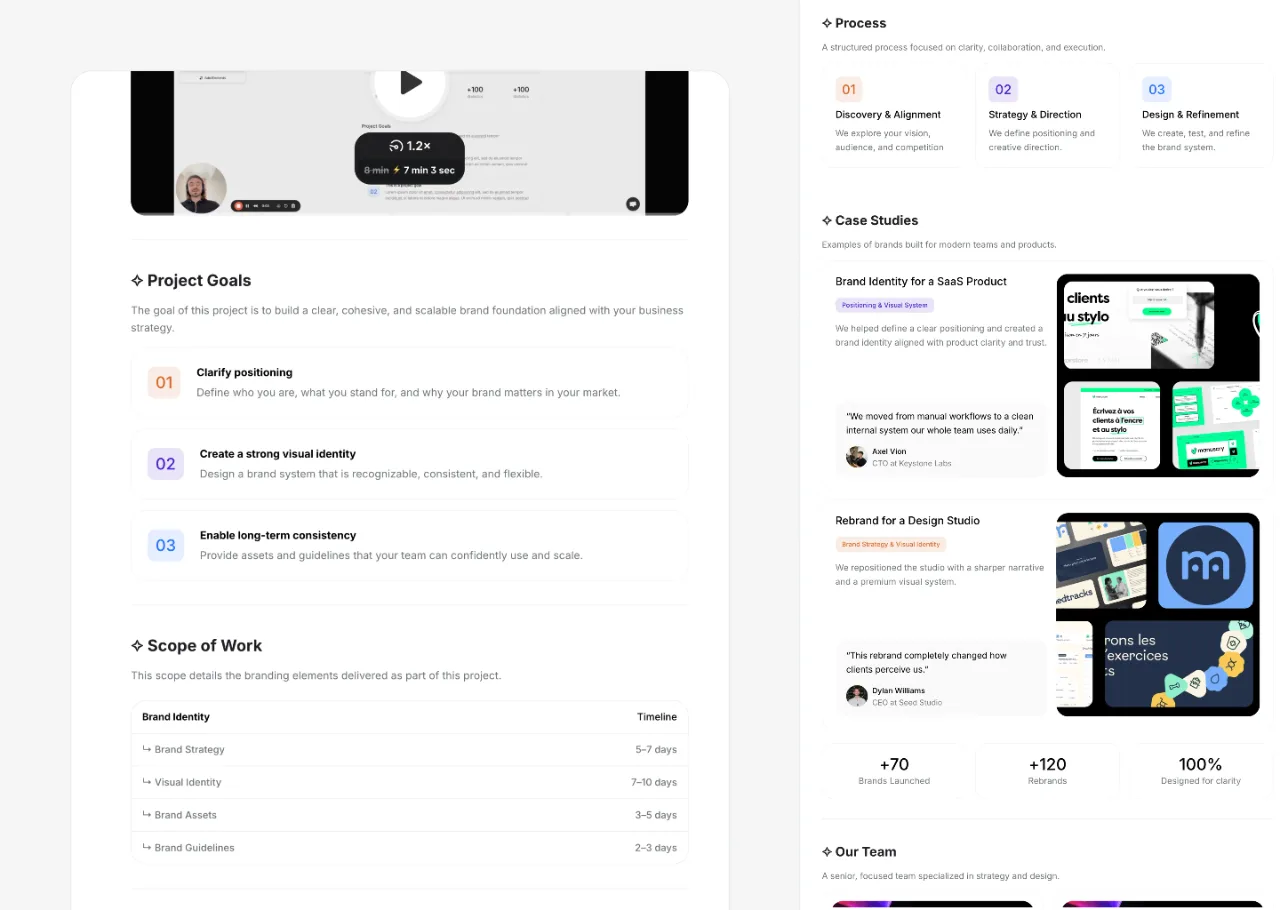
Here's a condensed, annotated example for a fictional redesign, a freelance designer pitching a $9,000 website redesign to a boutique skincare brand. Each section maps to the eight above. Use it as a fill-in skeleton, not a copy-paste.
Cover, Website Redesign Proposal · Lumi Skincare · Prepared by Jordan Lee · July 2026
"A faster, conversion-focused storefront redesign for Lumi."
(Annotation: outcome-led one-liner, not "Web Design Services.")
Introduction & problem, "Your current site loads slowly on mobile, where 70% of your traffic comes from, and the checkout flow takes five steps. You told me on our call that cart abandonment is your biggest frustration. This proposal focuses on fixing exactly that: a fast, mobile-first storefront with a two-step checkout."
(Annotation: their words, their number, their stated frustration. This is the section that wins the deal.)
Scope & approach, "In scope: 6 custom responsive pages (home, shop, product, about, cart, checkout), Shopify theme customization, and a mobile-first rebuild. Out of scope: copywriting, product photography, and ongoing marketing. My process: discovery : wireframes : design : build : QA : launch."
(Annotation: the "out of scope" line is doing the heavy lifting.)
Timeline, "Kickoff: Aug 4 · Wireframes: Aug 11 · Design approval: Aug 18 (pending your sign-off within 5 business days) · Build & QA: Aug 18–Sep 5 · Launch: Sep 8."
Deliverables, "6 custom responsive page designs, editable Shopify theme, source files, 2 revision rounds, and 30 days of post-launch bug support."
Pricing, "Standard package: $9,000. 50% deposit ($4,500) to reserve your Aug 4 kickoff, 50% on launch. Optional Premium add-on: conversion-rate audit at 60 days, +$1,500."
(Annotation: the deposit reframes signing as 'reserving a slot,' which creates urgency.)
Terms, "Two revision rounds included; further rounds billed at $120/hr. Full IP transfers to Lumi on final payment. 14-day cancellation notice. Timeline assumes feedback within 5 business days."
Next step, "Approve and sign below to lock your Aug 4 kickoff. Questions? Book 15 minutes here."
(Annotation: one action, a deadline-linked reason, and a fallback call link.)
The example above is intentionally tight, under a page in a real document. Web design proposals don't need to be long. They need to be complete and scannable. A client should be able to find the price, the timeline, and the next step in under thirty seconds.
Want this as a fill-in template instead of a screenshot?
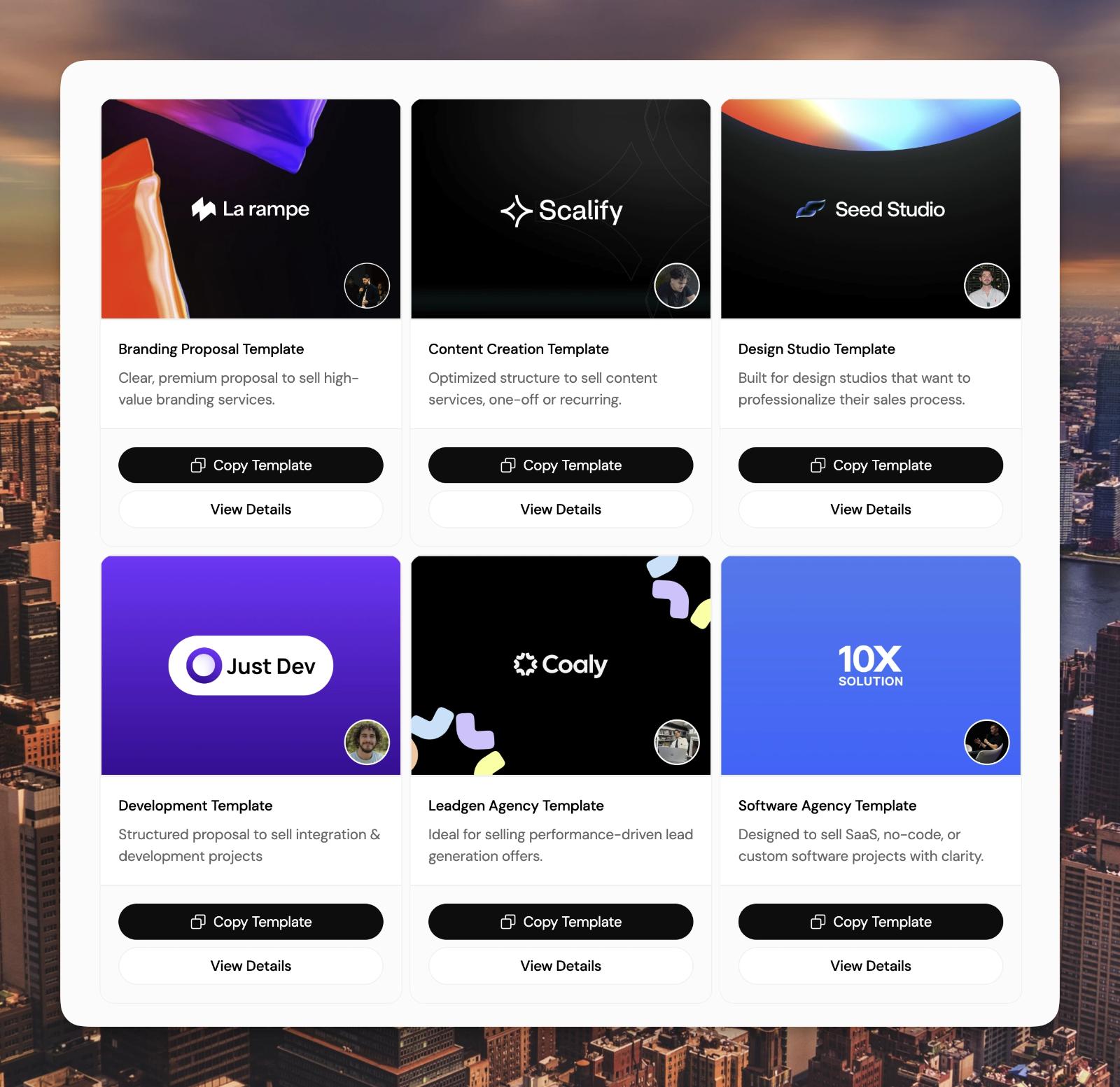
Propal's interactive web design proposal templates come pre-structured with all eight sections, and you can drop in a Loom walkthrough, a Figma preview, and a payment button.
→ Browse interactive proposal templates
How to write a web design proposal in 7 steps
Knowing the sections is half of it. Writing one that closes is a process. Here's the 7-step version, refined for freelancers and agencies who pitch web work regularly.
Step 1 : Run a real discovery call first
Never write a proposal blind. A 20–30 minute discovery call gives you the client's actual problem, their budget signals, their timeline pressure, and the words they use, all of which you'll reuse verbatim in the introduction section. A proposal written without discovery reads generic, and clients can tell.
Step 2 : Restate the problem in their words
Open the document by mirroring their problem back. This is the trust trigger. If they said "our site feels dated and slow," you write "you're redesigning because the current site feels dated and loads slowly." It's almost mechanical, and it works.
Step 3 : Define scope and what's explicitly out
Write the scope, then write the "out of scope" list right under it. The second list prevents 80% of future disputes. Be specific about page count, integrations, and revision rounds. Ambiguity here costs you money later.
Step 4 : Price by value, with tiers when it fits
Set your price against the outcome (more conversions, faster site, stronger brand), not your hourly rate. Where it makes sense, offer two or three packages so the client chooses how much rather than whether. Always state the payment schedule and a deposit.
Step 5 : Add proof and a clear timeline
Drop in one relevant case study or portfolio link that mirrors the client's situation, and a milestone-based timeline. Proof reduces perceived risk; a timeline reduces uncertainty. Both move the client toward yes.
Step 6 : Make the next step a single signable action
Close with one action and a reason to take it now ("sign to lock your kickoff date"). Add a digital signature block so a "yes" becomes a commitment without printing or scanning. Friction at the finish line loses more deals than price ever does.
Step 7 : Send it as a trackable link, then follow up on signal
Send a link you can track instead of an attachment you can't. Knowing the client opened the proposal, reread the pricing section twice, and forwarded it internally tells you exactly when and how to follow up. Following up on signal, not on a guess, is what separates a 30% close rate from a 50% one.
PDF vs interactive web proposal: which converts better?
Here's the part the top results skip. Almost every web design proposal template you'll find is a static Word doc, PDF, or PNG. That's fine for a paper trail. It's a liability for closing. The moment you send a PDF, you go dark: you don't know if it was opened, which section the client lingered on, or whether they shared it with a partner. And the client can't act inside it, no booking a call, no signing, no paying without leaving the document and emailing you back.
An interactive web proposal, a branded page the client opens in their browser, fixes all of that. For web designers specifically, it has one more advantage: you can embed the exact tools you already work with. A Loom walkthrough where you talk through the redesign vision. A Figma or Behance preview of early concepts, live in the proposal. A Calendly widget so the client books a kickoff call in one click. None of that fits in a Word doc.
Static PDF vs interactive web proposal
The honest take: a polished PDF is perfectly adequate for a low-stakes, single-stakeholder deal where you already have the relationship. For a competitive pitch, multiple stakeholders, a real budget, a client comparing you to two other studios, the interactive format wins because it gives the client a richer experience and gives you the engagement data to follow up at the right moment. This is exactly the gap purpose-built proposal template software was created to close, and why it fits agency proposal software workflows so naturally.
This is where Propal fits, without the hard sell. Propal turns the eight-section structure into an interactive, trackable web proposal with built-in e-signature, Stripe deposits, and embeds for Loom, Figma, Calendly, Notion, and Miro. Same template, but it closes instead of sitting in an inbox.
Free web design proposal template & next steps
You now have everything to build a web design proposal that gets signed: the eight sections, an annotated example, a 7-step writing process, and a clear-eyed view of why a trackable web proposal beats a static PDF for competitive pitches. If you're just starting, copy the eight-section skeleton into your tool of choice and fill it in. If you pitch web work regularly, build it once as a reusable template so each new proposal takes minutes, not hours.
The fastest path is to start from a structure that's already built for this. Propal's interactive web design proposal templates come pre-loaded with all eight sections, ready for you to drop in your scope, your price, your Loom walkthrough, and a signature block, then send as a single trackable link. It's the same logic behind any solid project proposal template, tuned for the way web designers actually win clients. Build your web design proposal template once, reuse it on every pitch, and let a trackable web page do the closing for you.
Send a proposal that closes, not one that collects dust.
Build your next web design proposal as an interactive, trackable, signable web page, embeds, e-signature, and Stripe deposits included.
→ Start free with interactive proposal templates
Is a web design proposal the same as a quote?
No. A quote is just a price for defined work. A web design proposal is the full sales document, it builds the case for the project (problem, scope, approach, proof) before presenting the price, and it ends with a clear next step. A quote answers 'how much'; a proposal answers 'why you, why now, and what happens next.'
Keep going:
.webp)