.webp)

.jpeg)
 ChatGPT
 Perplexity
 Gemini
 Grok
Grok
 Claude
Proposal template software is a tool that combines a library of pre-designed proposal templates with editing, e-signature, tracking, and customization features. The right one depends on three factors: how deep your template library needs to be (5 templates or 80+?), which generation method fits your workflow (AI-powered, drag-and-drop, or form-based), and whether you need static PDF output or web-based interactive proposals with built-in tracking and payments.
In this guide, we compare the 10 best proposal template software in 2026, Propal, Proposify, PandaDoc, Qwilr, GetAccept, Better Proposals, Canva, Oneflow, Proposable, and Venngage, by template library depth, ICP fit, and pricing transparency. For AI-focused tools specifically, see our AI proposal generators guide. For a broader view of generation methods, see proposal generators. For workflow-heavy tools, see proposal manager software.
Key takeaways
- Best for creative agencies & freelancers → Propal (interactive templates)
- Largest template library → Proposify (80+ categories)
- Best all-in-one document workflow → PandaDoc (68K+ customers)
- Best for interactive web templates → Qwilr
- Best for CRM-integrated proposals → GetAccept
- Best free option → Canva (50+ templates, no signup)
What is proposal template software?
Proposal template software is a digital platform that provides pre-designed proposal templates (covering business proposals, sales quotes, project pitches, RFP responses, and more) along with editing, branding, and workflow tools. Unlike generic document editors, proposal template software is built specifically for sales workflows: it includes content libraries, drag-and-drop editors that maintain design consistency, CRM integration to auto-fill client data, e-signature for fast closing, and tracking to see when the prospect opens and engages with the document.
The category sits at the intersection of design tools (Canva, Venngage), proposal SaaS platforms (Proposify, PandaDoc, GetAccept), and contract lifecycle management (Oneflow). Choosing the right one depends on whether templates or workflow matter more to you. A solo freelance graphic designer often picks Canva (templates + design). A 20-person agency picks Propal or Better Proposals (templates + interactive proposals + tracking). A 100-person sales team picks PandaDoc or Proposify (templates + CRM + approval workflows).
According to the GetAccept Digital Sales Report, 79% of revenue leaders want to increase win rates, yet 33% of sales teams still don't use proposal software at all. The pattern matters: teams using dedicated proposal tools see up to 70% time savings on creation, faster signature cycles, and better visibility on what closes deals.
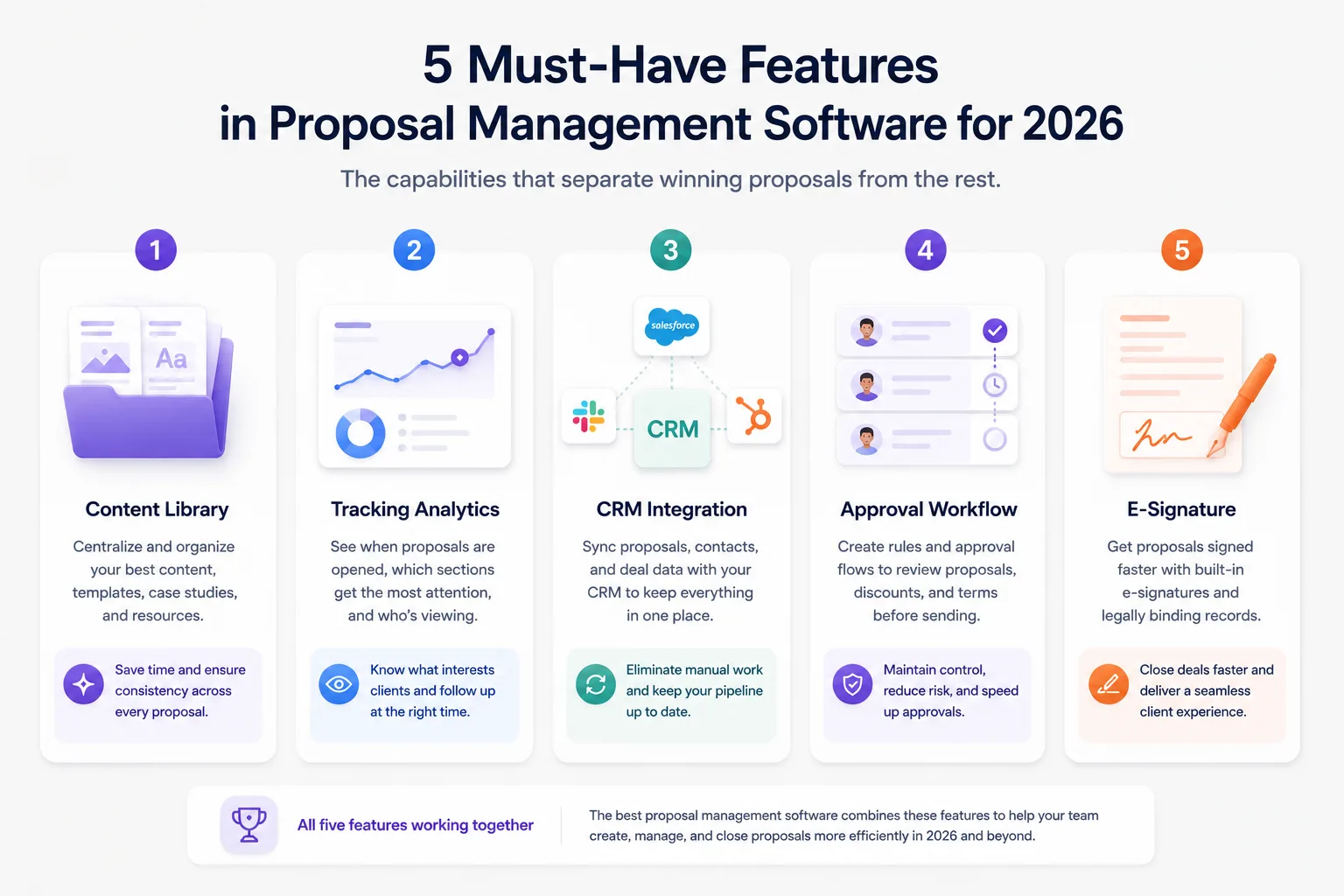
5 must-have features in proposal template software (2026)
After comparing the 10 tools below across hundreds of features, these five stand out as non-negotiable for any serious user.
1. Template library depth and quality. This is the headline feature. A real template library covers your most common use cases (business proposal, marketing proposal, design pitch, dev project, consulting retainer) with high-quality starting designs. Below 10 templates feels limiting; above 80 templates feels like noise. Look for variety + quality + on-brand consistency.
2. CRM integration (Salesforce, HubSpot, Pipedrive). Without CRM sync, you double-enter client data on every proposal. With native bi-directional integration, the proposal auto-fills client details, project context, and pricing, and updates the deal stage in your CRM when the prospect signs.
3. E-signature built into the platform. Closing the deal inside the same document, sign here and return immediately, eliminates the friction of download PDF, print, sign, scan, email back. E-signatures should be legally binding (ESIGN, eIDAS, UETA compliant) and work on any device.
4. Real-time tracking and engagement analytics. Knowing when the prospect opens your proposal, which section they spend the most time on, and whether they shared it internally is gold for follow-up timing. According to the Salesforce State of Sales 2025, proposal-stage visibility is among the top correlates of higher close rates.
5. Customization without design skills. The best template software lets non-designers tweak templates without breaking the layout. Look for drag-and-drop editors with locked structural elements, brand kit auto-apply (logo, colors, fonts), and component-based design.
The 10 best proposal template software in 2026
We tested every tool below against the criteria above. Here's the ranking that matters for agencies, freelancers, and B2B sales teams.
1. Propal: Best for creative agencies and freelancers (interactive templates)

Pricing: Free trial. From $29.99/month
Best for: Digital agencies, design studios, freelance creators with B2B clients in the $500-$15K range.
Propal blends a curated template library with interactive web-based proposals. Each template ships with embeds for Calendly, Loom, Stripe, Notion, and Miro built in, so your client opens a live web proposal (not a PDF) that lets them book a call, watch a 2-minute walkthrough, sign, and pay directly inside the document. Real-time tracking shows per-section engagement.
- ✅ Interactive web templates with embeds
- ✅ Curated library targeted at creative B2B agencies
- ✅ AI generation + manual editing combined
- ❌ Smaller template library than Proposify (focused breadth, not generic depth)
- ❌ Newer to the market than legacy tools
Browse our proposal templates library to see the interactive format in action.
2. Proposify: Largest template library (80+ categories)
Pricing: From $19/month. Free trial
Best for: Mid-market sales teams who need maximum template breadth across industries.
Proposify is the depth leader. Their template library covers 80+ industry-specific designs: accounting, advertising, architecture, branding, business consulting, catering, cleaning, construction, content marketing, contractor, corporate photography, design, ecommerce, education, event planning, freelance, healthcare, insurance, landscaping, legal, marketing, photography, real estate, SaaS, SEO, social media, web design, and many more. 8,976 paying customers; reported 2x close rate vs industry average; average proposal created in 17 minutes.
- ✅ Largest template library in the category
- ✅ Salesforce, HubSpot, Pipedrive native integrations
- ✅ Mature platform with approval workflows
- ❌ Mid-market focus, heavy for solo freelancers
- ❌ AI Proposal Generator currently in waitlist mode (May 2026)
3. PandaDoc: Best all-in-one document workflow
Pricing: Essentials $19/month. Business $49/user/month
Best for: Sales teams managing proposals plus contracts, NDAs, invoices, and onboarding paperwork in one tool.
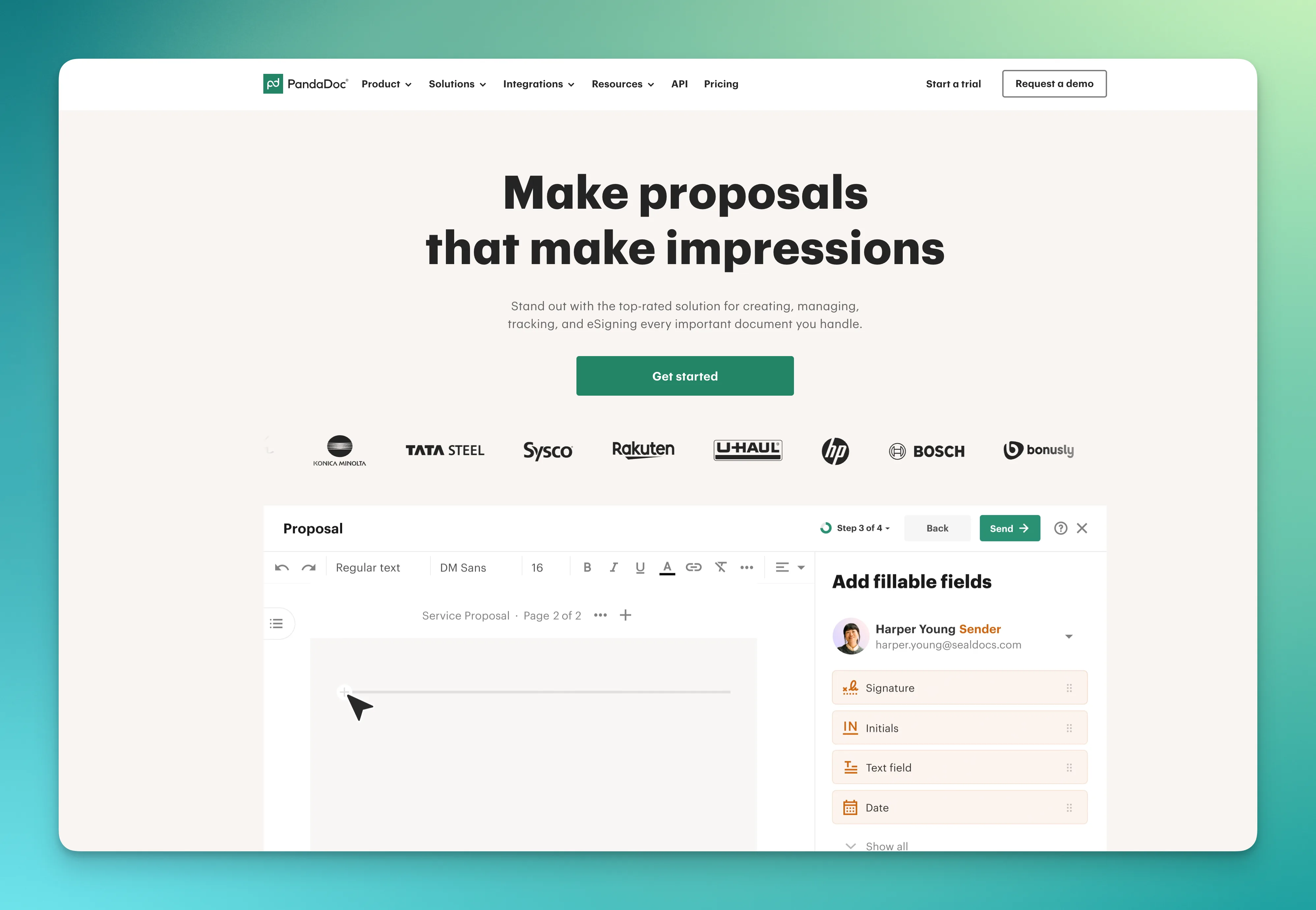
PandaDoc serves 68,000+ customers and dominates the document workflow category broadly. The proposal template library is solid (100+ templates) and integrated with the wider PandaDoc ecosystem: e-signature, CRM sync, payment processing, content library, approval workflows, conditional content blocks. Rating: 4.7/5 on G2 with 3,300+ reviews. ROI calculator on their site claims $11,459/year saved + 275% ROI for a typical small team.
- ✅ Best document workflow breadth (proposals + contracts + invoices)
- ✅ 30+ native integrations (Salesforce, HubSpot, Pipedrive, Stripe, Slack)
- ✅ AI features included (Smart Content Blocks, identity verification)
- ❌ Overkill for solo freelancers
- ❌ Pricing scales fast with team size
4. Qwilr: Best for interactive web-based templates
Pricing: From $35/user/month
Best for: Marketing-led sales teams turning proposals into web microsites with rich media and ROI calculators.
Qwilr pioneered the proposal-as-web-microsite format. Templates are interactive by default: embedded video, ROI calculators, dynamic pricing tables that buyers can adjust live. Their template library skews toward marketing, SaaS, and consulting use cases. Higher price point but the design quality is consistently top-tier. AI document generation added recently.
- ✅ Best-in-class interactive template design
- ✅ Embedded ROI calculators
- ✅ Strong template gallery for SaaS and marketing
- ❌ Higher price point than entry tools
- ❌ Less suitable for static PDF workflows
See our Qwilr alternatives guide for adjacent options.
5. GetAccept: Best for CRM-integrated proposals
Pricing: From $49/user/month
Best for: Sales teams running multi-stakeholder deals with deep CRM integration as a priority.
GetAccept positions as a Digital Sales Room, where the proposal lives in a shared space with videos, content, signatures, and live chat. Their CRM integrations (Salesforce, Microsoft Dynamics, HubSpot, Pipedrive) are bi-directional and native. Template library is solid but smaller than Proposify. 5,000+ customer reviews on G2 with 4.7/5 average. According to their own Digital Sales Report, teams using their tool save up to 70% of proposal creation time.
- ✅ Best CRM integration depth in the category
- ✅ Live chat inside proposals for real-time negotiation
- ✅ Strong analytics and engagement tracking
- ❌ Higher entry pricing than competitors
- ❌ Best fit for established sales teams (not solo)
6. Better Proposals: Best for fast template setup
Pricing: From $19/month. 14-day trial
Best for: Teams who want a fast, design-led template workflow with no AI involved.
Better Proposals takes an explicit AI-banned position: they handle proposals end-to-end without AI generation. The template library is well-designed and the setup is among the fastest in the category. Strong integrations with HubSpot, Pipedrive, Salesforce, Stripe. Online proposals with tracking, signature, and onboarding flows after acceptance. 4.8/5 on Capterra, 10,000+ customers.
- ✅ Fastest template setup experience
- ✅ Online proposals with full SaaS workflow
- ✅ 24-hour human support (no AI chatbots)
- ❌ No AI template generation (deliberate choice)
- ❌ Smaller template library than Proposify
7. Canva: Best for design-led templates (free tier)
Pricing: Free / Pro $14.99/month
Best for: Designers, creatives, and solo freelancers who prioritize visual quality on a tight budget.
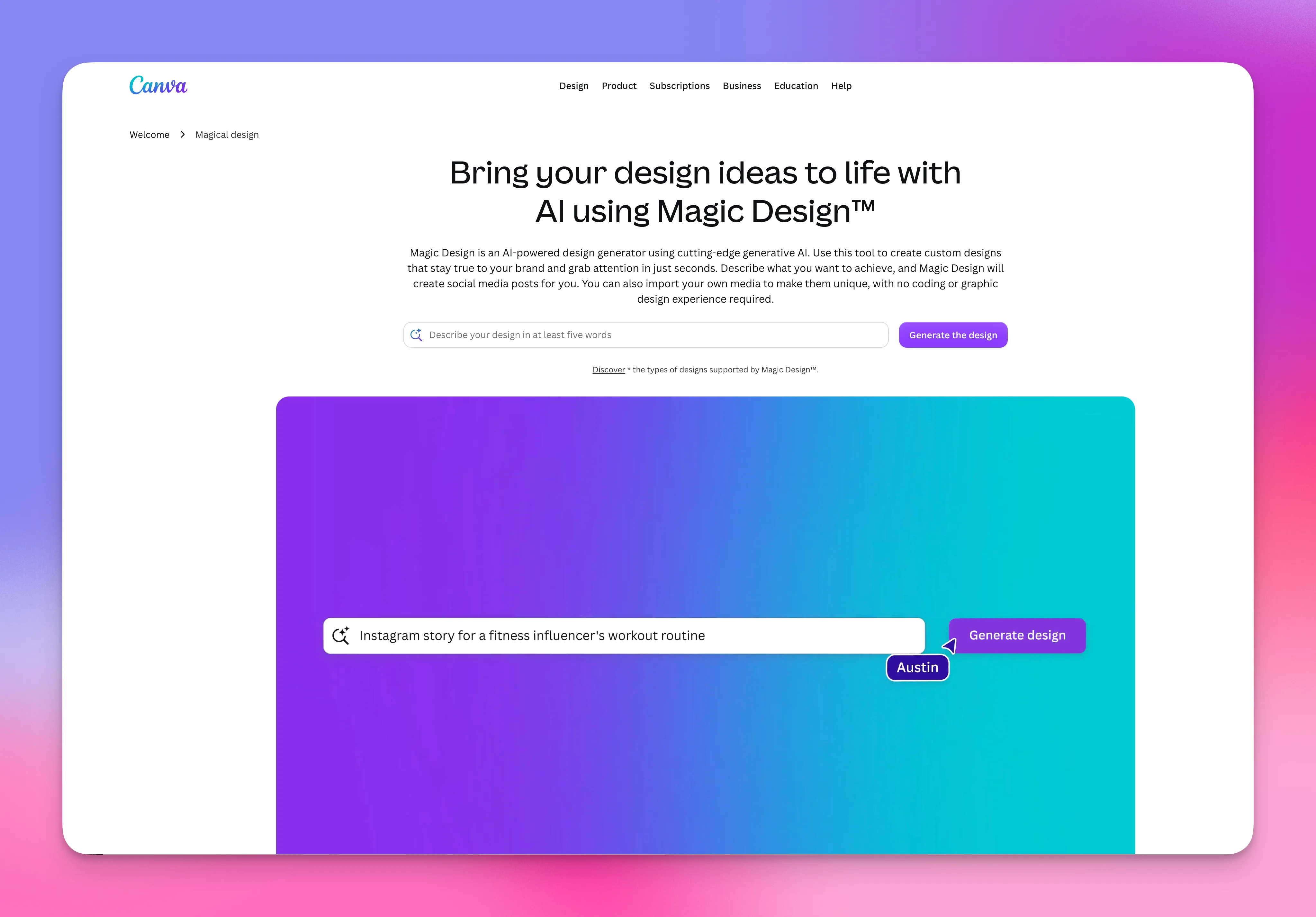
Canva's Free Proposal Creator gives you access to 50+ professionally designed proposal templates across business, marketing, event, research, and creative use cases. Excellent for visually-driven proposals where design is the selling point. Free tier is genuinely usable. Brand kit support across all templates. Output: PDF, PNG, PowerPoint, HTML.
- ✅ Massive template library across all design categories
- ✅ Generous free tier
- ✅ Brand kit auto-apply
- ❌ No tracking, e-signature, or payment integration
- ❌ Generic copy when using AI generation features
8. Oneflow: Best for contract-template hybrid
Pricing: Free starter. Paid from custom pricing
Best for: Teams handling both proposals and contracts in one workflow.
Oneflow approaches templates from the contract lifecycle angle. HTML-based proposal templates that can be edited after sending (a unique capability vs PDF-based tools). Strong signing order, role-based permissions, and contract management. Best when your proposal naturally evolves into a contract over multiple back-and-forth rounds.
- ✅ Editable templates after sending (unique)
- ✅ Strong contract lifecycle features
- ✅ Free starter tier viable
- ❌ Basic tracking analytics
- ❌ Smaller proposal-specific template library
9. Proposable: Best simple/cheap option
Pricing: From $19/month. Free trial
Best for: Startups and very small teams who want templates + e-signature without complexity.
Proposable focuses on the basics done well. Decent template library, e-signature included, tracking analytics, CRM integration. Pricing entry point at $19/month makes it competitive with Better Proposals and PandaDoc Essentials. Less polished UX than competitors but covers core needs.
- ✅ Affordable entry point
- ✅ Covers proposal + e-signature + tracking
- ✅ Integrations with major CRMs
- ❌ Less polished UX than competitors
- ❌ Smaller customer base, less mature
10. Venngage: Best for AI-generated templates (design-led)
Pricing: Free / Premium $19/month
Best for: Marketers and consultants who want AI-generated proposals with strong design templates.
Venngage's AI Proposal Generator builds on the broader Venngage design platform. Templates available across business, consulting, marketing, event, and research proposals. The AI generates a draft from a short prompt and the templates handle the visual side. Solid free tier. Output: PDF, PNG, PPT, HTML.
- ✅ Strong AI generation + design templates combined
- ✅ Generous free tier
- ✅ Brand kit auto-apply
- ❌ Static output (no tracking or signature)
- ❌ Generic AI copy compared to dedicated tools
How to choose by template library depth
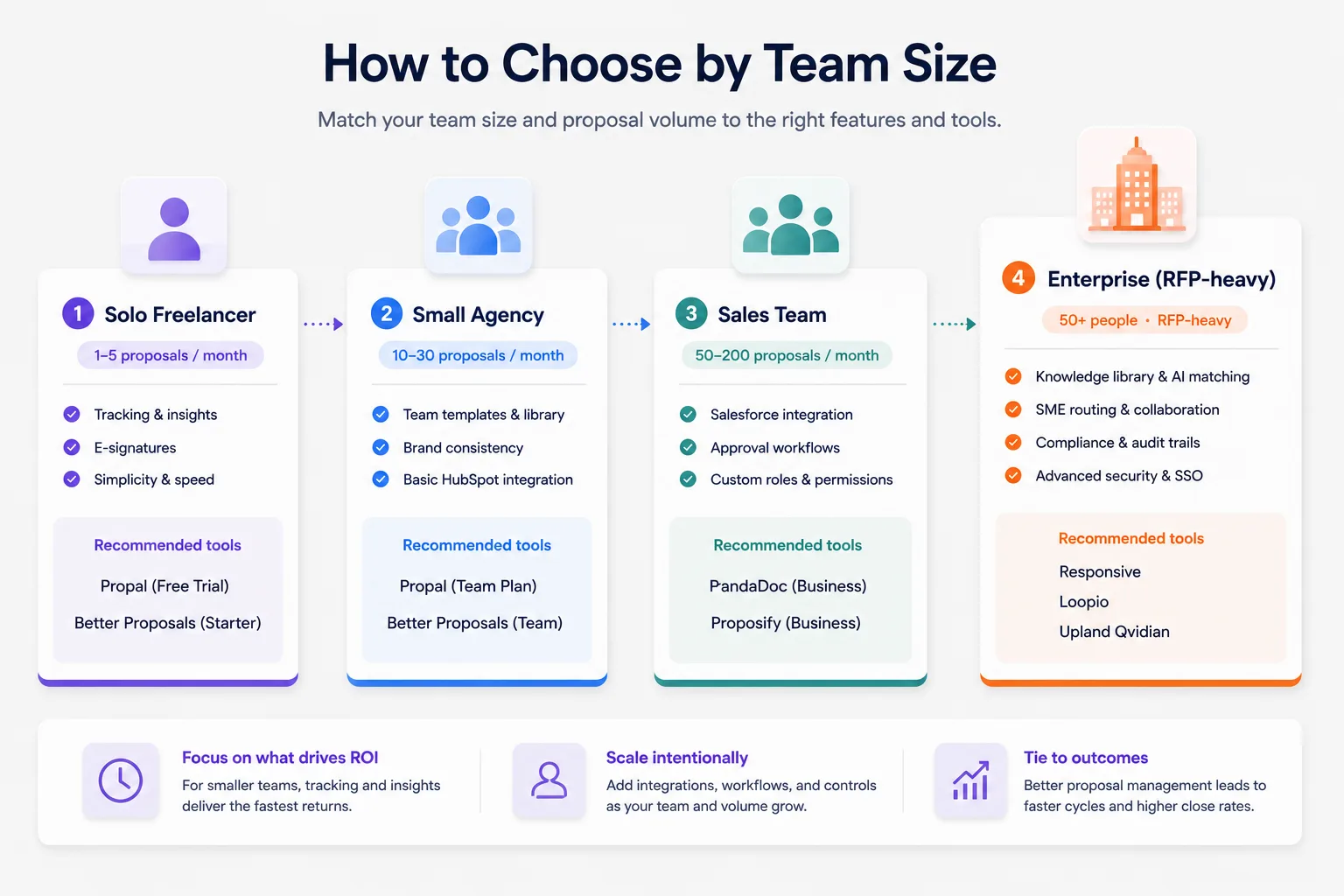
The right tool depends on how many distinct template types you actually need.
Solo freelance (5-10 templates suffice)
You send 1-5 proposals per month, mostly to similar types of clients. You don't need 80 templates, you need 3-5 great templates you can customize quickly. Canva free tier or Proposable basic plan. Skip the enterprise tools, they'll slow you down with features you'll never use.
Small agency (20-30 templates needed)
You have 2-10 team members sending proposals to different client types. Brand consistency matters more than template count. Propal or Better Proposals give you 20-30 well-designed templates with brand kit auto-apply. Skip Proposify's 80+ catalog, most of it won't be relevant.
Mid-market sales team (80+ templates valuable)
You have 10-50 reps selling into multiple industries with different proposal needs. Industry-specific templates save real time. Proposify or PandaDoc deliver the breadth, with the CRM integrations and approval workflows your reps need.
Enterprise (custom-designed templates)
You're sending proposals at $50K+ with custom branding requirements that no off-the-shelf template captures. GetAccept Professional or PandaDoc Enterprise let you commission custom templates designed in-house. Off-the-shelf templates become starting points, not finished products.
Software development proposal templates: niche capture
Developers and dev agencies often have specific template needs: technical scope sections, stack recommendations, sprint-based timelines, milestone payment structures, and IP assignment clauses. Tools that handle this well in 2026:
- Propal, interactive dev templates with Miro embeds for architecture diagrams
- Proposify, has dedicated dev templates in their library (mobile app, web app, custom software)
- PandaDoc, strong CPQ for hourly + project pricing
- Qwilr, interactive pricing tables that adjust by sprint count
For solo freelance developers, a simple Word or PDF template is often enough, the time to learn a full SaaS tool isn't worth it under 3 deals per month. For dev agencies above 5 deals per month, dedicated proposal template software pays back fast.
Free vs paid template software: what's actually different?
The free promise is everywhere. Here's the honest comparison.
| Feature | Free tier | Paid tier ($15-50/mo) |
|---|---|---|
| Template variety | 5-20 templates | 30-100+ templates |
| Brand kit | Basic | Full (auto-apply) |
| Tracking analytics | ❌ No | ✅ Yes |
| E-signature | ❌ No | ✅ Built-in |
| Payment processing | ❌ No | ✅ Stripe/PayPal native |
| Team collaboration | Solo only | Multi-user |
| Watermarks on output | Some | None |
| AI generation | Limited | Full |
| Support | Community / docs | Email + chat |
The pattern: free tiers cover templates and basic generation, but the sales-process features that actually drive higher close rates (tracking, signature, payment, brand consistency) are gated behind paid plans. For one-off proposals, free works. For serious freelance or agency use, even the cheapest paid plan ($15-19/month) pays back fast in saved time and higher signature rates.
Does Microsoft Word have a proposal template?
Yes. Microsoft Word includes several built-in proposal templates accessible via File > New. They cover basic business proposal, project proposal, and sales proposal structures. They're functional and free if you already have Microsoft 365.
What you don't get with Word: proposal tracking (no notification when client opens it), integrated e-signature (you need DocuSign or Adobe Sign separately), payment integration, CRM auto-fill, real-time analytics, brand kit consistency across team members, or AI generation.
For a solo freelancer sending 1-2 proposals per month under $2K, Word + a free e-signature tool is often enough. For anything else, dedicated proposal template software pays back in saved time + higher close rates.
Can ChatGPT replace template software?
Short answer: no, but it complements it well.
ChatGPT can generate proposal copy from a prompt in 60 seconds, that's the writing side. Template software gives you the structure, visual design, branding, e-signature, tracking, and CRM workflow, that's the productization side. Use ChatGPT for the first draft of section content (executive summary, scope, project description), then drop that content into your proposal template software for the visual layer and workflow features.
The combination ChatGPT + dedicated proposal template software is what most sales teams converge on by 2026. ChatGPT alone leaves you stuck in Word-doc land. Template software alone leaves you writing copy from scratch every time. Together, you cut total proposal creation time substantially. For a deeper dive on AI specifically, see our AI proposal generators guide.
Conclusion
The right proposal template software combines template library depth, customization speed, and the workflow features (e-signature, tracking, CRM sync) that actually drive higher close rates. For creative agencies and freelancers, Propal leads with interactive templates and ICP fit. For mid-market sales teams, Proposify or PandaDoc handle scale. For free design-led use, Canva remains the strongest option.
Start with the free trial that matches your stage. Spend 30 days on real proposals, not test documents, and measure time-to-open and time-to-signature as your leading indicators. To see the interactive format in practice, browse our proposal templates library, free with no credit card required.
.webp)