.webp)

.jpeg)
 ChatGPT
 Perplexity
 Gemini
 Grok
Grok
 Claude
A proposal generator is software that automates the creation of business or sales proposals using AI, prefilled templates, or form-based questionnaires. The right one depends on your method preference (AI generation vs template fill vs form-based), your use case (freelance vs agency vs sales team), and whether you need static PDFs or web-based interactive proposals with tracking, signatures, and payments built in.
In this guide, we compare the 10 best proposal generators of 2026, AI-powered, template-based, and form-based, and show you how to pick the right one for your stage and team. If you're specifically looking for AI-powered options only, see our deeper guide on the best AI proposal generators.
Key takeaways
- Best AI-powered → Venngage, Quillbot, or Propal (interactive AI)
- Best web interactive (no AI) → Better Proposals, Propal
- Best free → Quillbot, Venngage free tier, or Template.net AI
- Best for solo freelance → Quillbot or Jotform
- Best for digital agency → Propal or Better Proposals
- Best for SaaS sales team → PandaDoc or Proposify
What is a proposal generator?
A proposal generator is software that turns a brief input (a prompt, a filled-in form, or a chosen template) into a structured business proposal, typically including executive summary, scope of work, deliverables, timeline, pricing, and a call to action. The output can be a static PDF, an editable document, or a web-based interactive page.
There are four main categories of proposal generators in 2026:
- AI-powered generators use large language models (LLMs) like GPT or Claude to write proposal copy from a short prompt. Examples: Venngage, Quillbot, Template.net AI.
- Template-based generators start with a prefilled template that you customize manually. Examples: Canva, Jotform's PDF templates, Microsoft Word's proposal templates.
- Form-based generators ask you a series of questions and assemble a proposal from your answers. Examples: Jotform proposal builder, Taskade.
- SaaS interactive platforms combine AI or templates with a full workflow (web-based proposals, tracking, signatures, payments, onboarding). Examples: Propal, Better Proposals, Proposify, PandaDoc.
Most modern tools combine two or more categories: Propal blends AI generation with the SaaS interactive workflow, for instance. The category matters because it shapes how much you can personalize and how much sales-process you get on top of the writing itself.
AI vs template vs form-based: choose your method
Each generation method has trade-offs. Picking the wrong one wastes time at best, costs you deals at worst.
AI-powered generators
LLMs draft proposal content from a short brief in seconds. Strength: speed and structural quality. Weakness: generic voice unless heavily prompted, hallucinated numbers (always verify), and limited handling of complex deal structures. According to the Salesforce State of Sales 2025, personalization is the top driver of B2B win rates, and that's still where humans outperform AI.
Template-based generators
You start with a polished prefilled template and edit it manually. Strength: visual consistency and design quality. Weakness: requires you to write your own copy, which negates the generator promise if you're slow at writing. Best for designers and creatives where the visual matters more than the words.
Form-based generators
A questionnaire walks you through every section. You fill in the blanks, the tool assembles the document. Strength: zero learning curve, fast for repetitive proposals. Weakness: rigid structure, hard to handle non-standard deals, output usually generic.
| Criterion | AI-powered | Template-based | Form-based |
|---|---|---|---|
| Speed to first draft | 60 seconds | 15-30 min | 5-10 min |
| Personalization depth | Medium (prompt-dependent) | High (you write) | Low (rigid) |
| Visual quality | Variable | High | Low to medium |
| Best for | Speed + structure | Designers, creatives | Repetitive standard deals |
| Risk of generic output | Medium-high | Low | High |
| Learning curve | Low | Medium | Very low |
The 10 best proposal generators in 2026
We compared every tool by output format, sales-process features, ICP fit, and honest pricing. Here's the ranking that actually matters for agencies, freelancers, and small sales teams.
1. Propal: Best for agencies and freelancers needing interactive proposals

Pricing: Free trial. Plans from $29.99/month
Best for: Digital agencies, design studios, and freelance creators with B2B clients in the $500-$15K range looking to close deals faster, Propal's core promise is a 40% reduction in time-to-signature with interactive proposals.
Propal blends AI generation with a full SaaS interactive workflow. The AI drafts your proposal in under a minute, then you layer in embeds (Calendly bookers, Loom intro videos, Stripe payment buttons, Notion docs, Miro boards) directly inside the live web proposal. The client opens a link, not a PDF attachment, and can book a call, sign, or pay without ever leaving the document. Real-time tracking shows you which section the client spent the most time on.
- ✅ Interactive web proposals with Calendly, Loom, Stripe, Notion, and Miro embeds
- ✅ AI generation + manual template control
- ✅ Per-section engagement tracking
- ✅ Built-in e-signature and Stripe payments
- ❌ Newer to the market than Proposify and PandaDoc
- ❌ Premium templates require a paid plan
Browse our proposal templates to see the interactive format in practice.
2. Better Proposals: Best human-led alternative (AI banned)
Pricing: From $19/month. 14-day trial
Best for: Teams who explicitly want a human-only workflow with no AI generation, but full interactive SaaS features.
Better Proposals takes a deliberate counter-position to the AI wave: their entire stack is AI-banned, including marketing, customer support, and product. They believe humans do business with humans. Despite the philosophy, the tool is feature-complete: interactive web proposals, e-signature, payment processing, document tracking with notifications, client onboarding flows after signature, team permissions, integrations with Salesforce/HubSpot/Pipedrive/Stripe. 24-hour human support with fast response times.
- ✅ Web interactive proposals with full SaaS workflow
- ✅ Integrations with Salesforce, HubSpot, Pipedrive, Stripe, and more
- ✅ Onboarding flow built in (clients onboard themselves after signing)
- ✅ 4.8/5 on Capterra, 10,000+ customers
- ❌ No AI generation, you write everything (philosophy-driven choice)
- ❌ Heavier than newer tools for the very fast first-draft use case
3. Proposify: Best for sales teams (AI generator in waitlist)
Pricing: From $19/month
Best for: Mid-market sales teams with established workflows, deep Salesforce integration, and approval chains.
Proposify is the established SaaS proposal platform. As of May 2026, their AI Proposal Generator is in waitlist mode (page literally says currently being reworked). Their manual editor and template library remain fully usable in the meantime. Strong fit for teams that already use Salesforce or HubSpot and need workflow controls (roles, permissions, audit trails), less obvious choice for freelancers or small agencies.
- ✅ Mature platform with deep CRM integration
- ✅ Approval workflows, custom permissions, audit trails
- ✅ Pricing tables with interactive line items
- ❌ AI generator not currently usable (waitlist as of May 2026)
- ❌ Heavier interface, longer onboarding
If Proposify's waitlist is blocking you, see our roundup of best Proposify alternatives.
4. Venngage: Best for design-led one-page proposals (AI)
Pricing: Free / Premium from $19/month
Best for: Marketers and consultants who need a polished one-pager fast, with strong design templates.
Venngage's AI Proposal Generator builds on its design platform, offering branded templates for business, consulting, marketing, event, and research proposals. The free tier is generous enough to produce a client-ready proposal without paying. Output is PDF, PNG, PPT, or HTML.
- ✅ Strong design templates and brand kit auto-apply
- ✅ Generous free tier
- ✅ Wide variety of categories
- ❌ Output is static, no proposal tracking or signature integration
- ❌ Generic AI copy quality compared to dedicated proposal tools
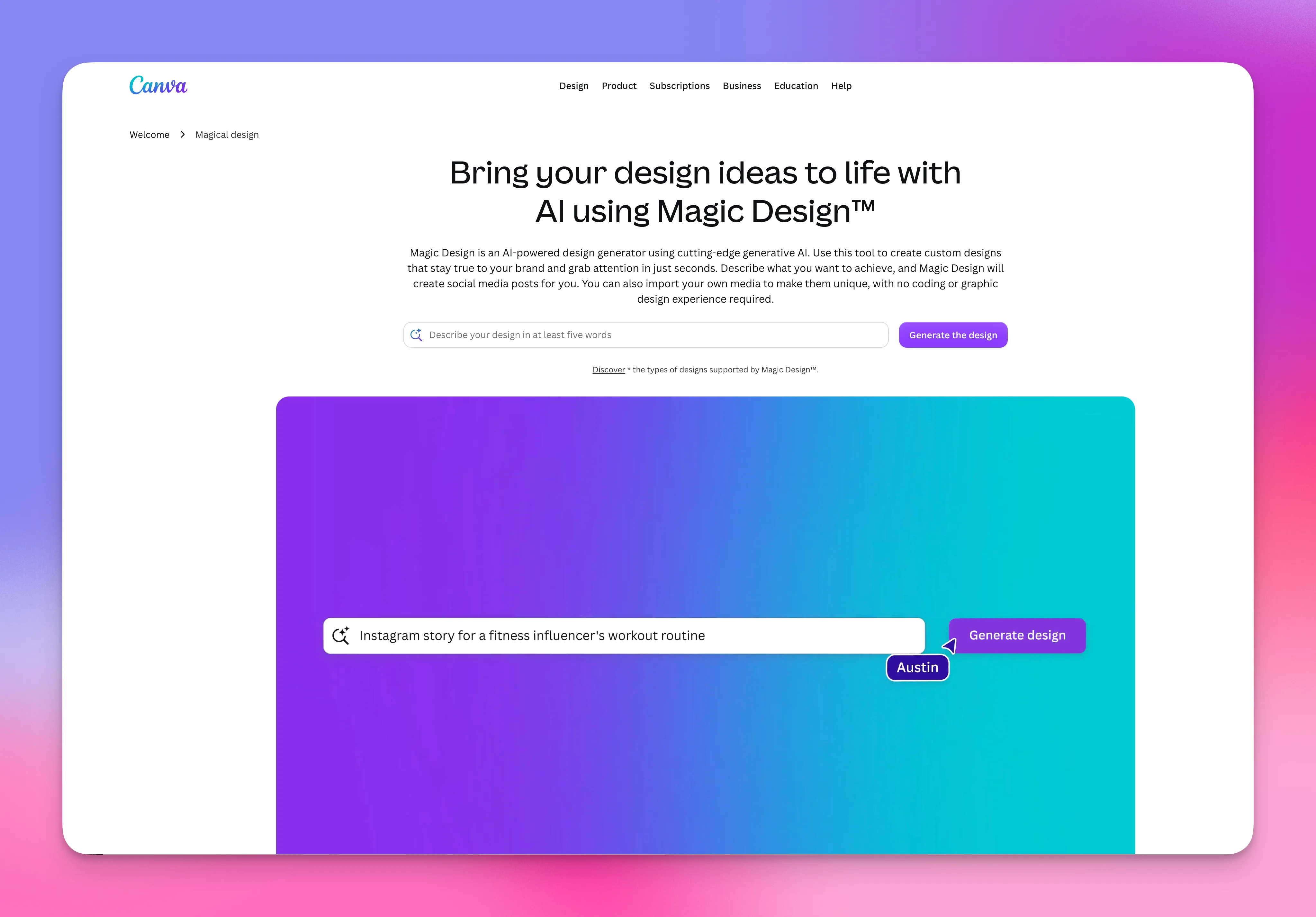
5. Canva Magic: Best for visually-driven proposals (AI)
Pricing: Free / Pro $14.99/month
Best for: Creative agencies and design freelancers prioritizing visual polish.
Canva's Magic Studio brings AI-powered proposal generation into the Canva ecosystem. Excellent when your selling point is your aesthetic. Familiar interface for any designer or marketer who already uses Canva.
- ✅ Best-in-class design and template library
- ✅ Brand kit support across all assets
- ✅ Familiar interface
- ❌ Export-only, no tracking or e-signature
- ❌ AI generation is shallower than dedicated proposal tools
6. Quillbot: Best for fast project proposal drafts (AI)
Pricing: Free / Premium from $9.95/month
Best for: Students, small business owners, freelancers drafting structured proposals with no signup required.
Quillbot's AI Project Proposal Generator excels at academic, research, and small-business proposals. Part of a broader AI writing suite including paraphraser, grammar checker, and summarizer. Trust score: 4.8/5 on Trustpilot with over 12,000 reviews.
- ✅ Free to use, no signup required
- ✅ Massive social proof (12K+ Trustpilot reviews)
- ✅ Sample prompts annotated for beginners
- ❌ No tracking, signature, or payment features
- ❌ Output skews academic rather than B2B sales
7. Jotform: Best for form-based proposal generation
Pricing: Free up to 5 forms. Paid from $34/month
Best for: Solopreneurs and small teams who prefer a questionnaire-driven approach with built-in e-signature.
Jotform's proposal generator is form-driven: you fill in a structured questionnaire, the tool assembles a PDF, and Jotform Sign lets you collect e-signatures on any device. 70+ free PDF proposal templates available. Drag-and-drop customization for branding. Strong integration ecosystem (Google Drive, Dropbox, 100+ tools).
- ✅ Form-based input is faster than free-form writing
- ✅ Built-in e-signature via Jotform Sign
- ✅ 70+ free templates and drag-and-drop branding
- ❌ Output is PDF, no tracking analytics or web interactive
- ❌ Rigid form structure limits handling of non-standard deals
8. Template.net AI: Best for instant template fills (AI)
Pricing: Free / Pro from $8/month
Best for: Solopreneurs needing a quick fill with zero learning curve.
Template.net's free AI proposal generator turns voice or text prompts into editable proposals. No signup required for basic use. Fast but generic, fine for low-stakes proposals.
- ✅ No signup required for basic use
- ✅ Voice prompts supported
- ✅ Many template categories
- ❌ Generic copy quality
- ❌ Heavy ads on free tier
9. Taskade: Best for AI project proposals
Pricing: Free / Pro from $8/month
Best for: Project managers and consultants who already use Taskade for workflow management.
Taskade's AI Project Proposal Generator integrates with the broader Taskade workspace (tasks, docs, mind maps, calendar). Rating 4.8/5 on third-party reviews (146 votes). Best when your proposal output continues into project execution inside the same tool.
- ✅ Tight integration with project management workflow
- ✅ Free tier viable for solo use
- ✅ Strong community ratings
- ❌ Not sales-optimized, built for internal project proposals, not external sales
- ❌ Limited e-signature and tracking compared to dedicated proposal tools
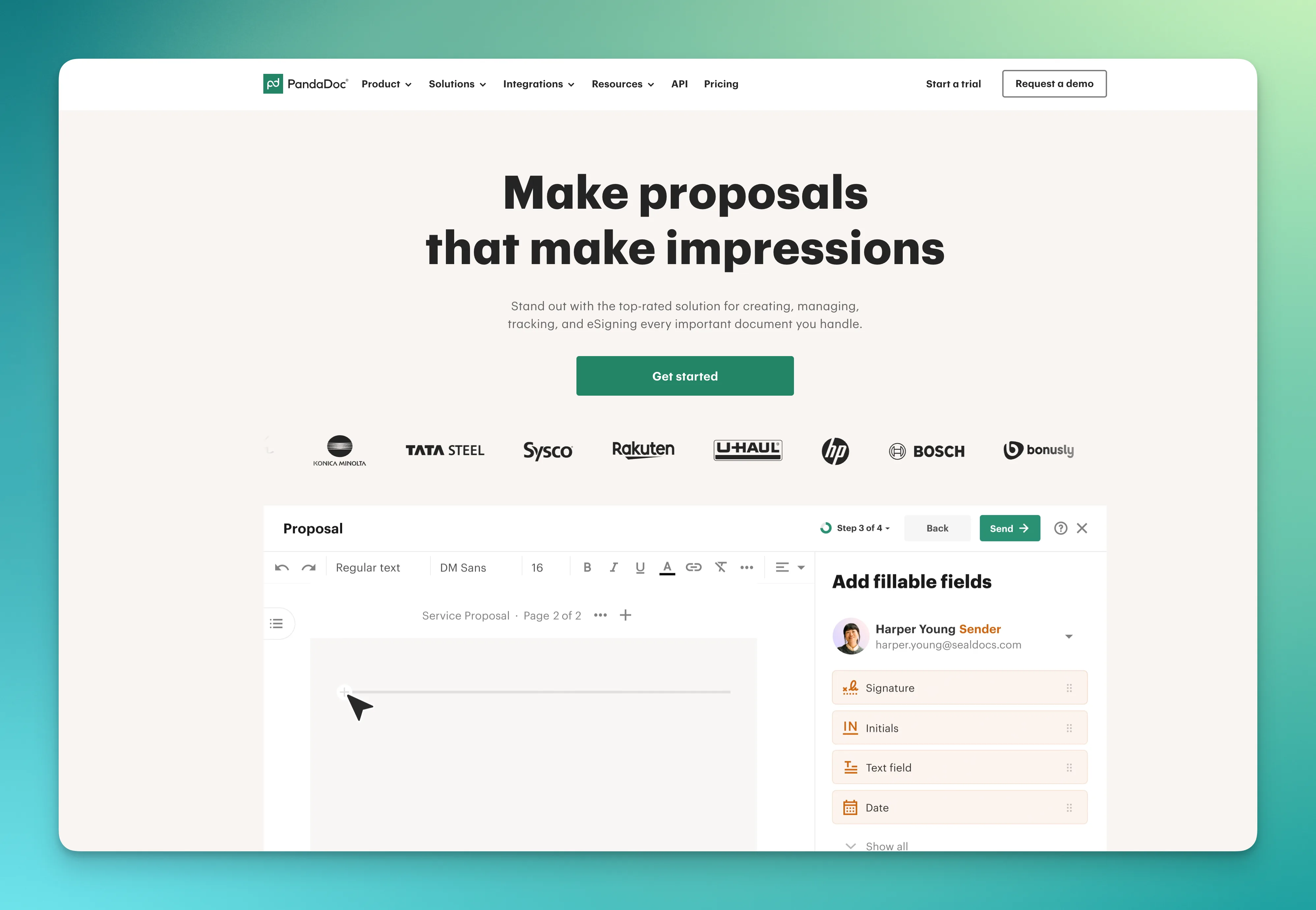
10. PandaDoc AI: Best for high-volume enterprise sales
Pricing: Essentials $19/month. Business $49/user/month
Best for: Enterprise sales teams managing high-volume RFP responses, with CPQ and full CRM integration needs.
PandaDoc is the enterprise standard for proposal automation. AI features sit on top of a mature document workflow (signature, content library, CRM sync, approval chains, CPQ). Built for sales teams with established processes, overkill for freelancers and small agencies.
- ✅ Enterprise-grade reliability
- ✅ Full Salesforce + HubSpot integration
- ✅ CPQ and quoting features
- ❌ Overkill for freelancers and small agencies
- ❌ Pricing scales fast with team size
Looking at alternatives beyond AI specifically? See our Qwilr alternatives guide for adjacent tools.
How to choose by use case
The right proposal generator depends on your stage, ICP, and how sales-led your process actually is.
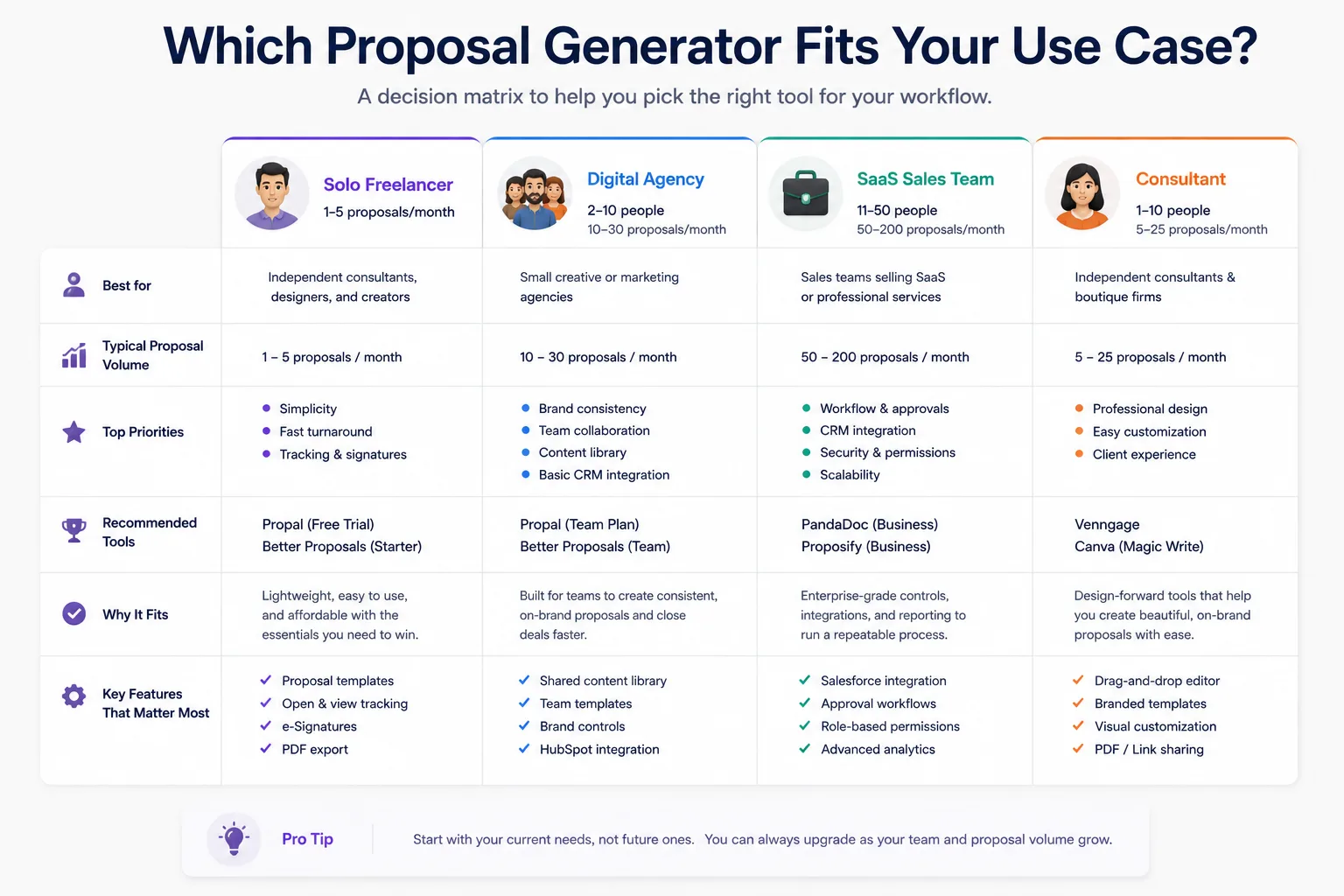
For solo freelancers (1-3 deals per month)
Pick a free or low-cost tool with a fast first-draft generation: Quillbot, Venngage free tier, or Jotform free. If your deals are above $2K, upgrade to Propal's free trial to add tracking and e-signature, knowing the moment a prospect opens your proposal is worth more than a slightly nicer PDF.
For digital agencies (10-30 deals per month)
You need template reuse, brand consistency, and visibility between send and close. Propal fits agencies natively with interactive proposals, embeds, and per-section tracking. Better Proposals if you want the same workflow without AI generation. PandaDoc is overkill at this stage unless you're already on Salesforce.
For SaaS sales teams (high-volume, CRM-integrated)
PandaDoc or Proposify enterprise tier. You need Salesforce or HubSpot integration, content libraries the team can pull from, approval workflows for managers signing off on discounts, audit trails for compliance, and CPQ if you sell configurable products. AI is one feature among many, workflow automation matters more.
For consultants (high-value bespoke proposals)
You send fewer but bigger proposals ($20K+). Volume matters less than personalization. Venngage handles design with strong templates and AI handles a meaningful portion of the draft; you handle the rest. For high-trust enterprise consulting, the personal touch outranks any AI feature.
Free vs paid: what's actually different?
The free promise is everywhere in this category. Here's the honest truth on what you actually get.
| Feature | Free tier | Paid tier ($15-50/mo) |
|---|---|---|
| AI generation | ✅ Usually unlimited | ✅ Unlimited |
| Templates | Limited (10-20) | Unlimited |
| Brand customization | Basic | ✅ Full brand kit |
| Tracking analytics | ❌ Usually no | ✅ Yes |
| E-signature | ❌ Usually no | ✅ Yes |
| Payment processing | ❌ Usually no | ✅ Yes |
| Team collaboration | ❌ Solo only | ✅ Multi-user |
| Watermarks | ❌ Watermarked output | ✅ Clean |
The pattern: free tiers cover AI generation and basic templates, but the sales-process features that actually drive conversion (tracking, signature, payment, brand consistency) are gated behind paid plans. For a hobby project, free is fine. For a serious freelance or agency business, even the cheapest paid plan ($15-19/month) pays back in saved time and higher close rates.
5 best practices to make the most of your generator
- Start with a strong template, not a blank page. Every minute spent picking the right template is worth ten minutes saved on writing.
- Personalize aggressively before sending. Generators give you a draft, they don't give you a proposal. Cite the client's industry, named contact, specific figures on their business, captures of their site. According to the HubSpot sales benchmarks, personalization remains the single highest-impact lever on B2B close rates.
- Use tracking analytics from day one. Knowing the prospect opened your proposal at 9:17 PM and re-read the pricing section twice tells you exactly when and how to follow up.
- Embed media when the deal justifies it. A 90-second Loom intro from you, a Calendly booker for the kickoff call, a Stripe button for the deposit. Each embed removes a friction step.
- Automate follow-ups, but not the writing. Schedule a check-in 3 days after sending if no response. But don't let the AI write the follow-up email, that's where the human touch wins.
5 common pitfalls to avoid
- Relying on a template without personalization. Detectable in 30 seconds by any experienced B2B buyer.
- Sending without proofread. AI hallucinations on pricing, dates, or stats are common. Verify every number.
- Generic AI copy as final output. A first draft is not a final proposal. Edit aggressively for brand voice.
- No clear call to action on the final page. "Looking forward to hearing from you" is not a CTA. Use "Sign and pay your deposit here" or "Book your kickoff call below".
- PDF without tracking on a large deal. For deals above $5K, sending a PDF means you lose all visibility between send and reply. Switch to interactive web format.
AI vs human-written: when to use which
For a deep dive on AI-powered options specifically, see our AI proposal generators guide. Short version: use AI for the structure and most of the draft (speed), keep the human for the smaller share that closes deals, the discovery reformulation, the case study that mirrors the client's situation, the closing argument that addresses their specific risk.
According to a 2026 McKinsey B2B Sales Reframe study, the most successful B2B sales teams blend AI for productivity (drafting, follow-up automation) with deeply personalized human touch for the moments that matter (discovery, objection handling, closing). Neither pure AI nor pure manual wins on its own.
Interactive proposals are replacing PDFs in 2026
The biggest shift in this category over the last two years: web-based interactive proposals replacing PDF attachments for any deal above $5K. Tools like Propal and Better Proposals lead this shift; Proposify and PandaDoc have followed.
Why it matters: with a PDF, you get zero feedback between sending and the client's reply. With a web interactive proposal, you see when it's opened, which section is read most, how long the prospect spends on pricing, whether it was forwarded internally. You follow up at the right time with the right argument. Agencies that have switched typically report meaningful improvements in conversion.
The trade-off is that interactive proposals require a slightly more design-conscious workflow, you can't just slap text into Word and export. But for deals at agency or freelance pricing ($1K+), the ROI is immediate.
Conclusion
The right proposal generator depends on whether you need pure AI speed (Venngage, Quillbot), form-based simplicity (Jotform), interactive SaaS workflow with AI (Propal), or interactive workflow without AI (Better Proposals). For freelancers and agencies serious about closing more deals, the interactive web format consistently outperforms static PDFs on conversion.
Start with the free option that fits your use case, and upgrade only when the workflow becomes the bottleneck, not the writing itself. To explore interactive proposal templates ready to use, browse our proposal templates library, free with no card required.
.webp)