.webp)

.jpeg)
 ChatGPT
 Perplexity
 Gemini
 Grok
Grok
 Claude
Proposal manager software automates the full lifecycle of a business proposal, from creation to tracking to signature to follow-up. The category covers everything from solo freelance tools (drag-and-drop simple) to enterprise RFP automation platforms (compliance-grade with approval chains). The right one depends on your team size, ICP, and whether you respond to formal RFPs or close consultative B2B deals.
In this guide, we compare the 10 best proposal manager software in 2026, covering accessible options for agencies and freelancers, full-stack SaaS workflows for sales teams, and enterprise-grade RFP platforms. We also cover what to look for, how to choose by team size, and the implementation pitfalls that derail most adoptions in the first 30 days.
Key takeaways
- Best for agencies & freelancers → Propal, Better Proposals
- Best all-in-one document workflow → PandaDoc
- Best for sales teams → Proposify, GetAccept
- Best for design-driven proposals → Qwilr
- Best for service businesses with billing → Ignition
- Best for enterprise RFP → Responsive, Loopio, Upland Qvidian
What is proposal manager software?
Proposal manager software (also called proposal management software, proposal automation software, or proposal writing software) is a digital platform that helps businesses create, send, track, and close business proposals. Beyond the writing itself, modern proposal managers handle the complete sales document workflow: a content library of pre-approved sections, branded templates, CRM-synced client data, e-signature integration, payment processing, approval chains for managers, and analytics on how prospects engage with each proposal.
The category covers a wide spectrum. At the simple end, a freelancer's proposal manager might be Propal or Better Proposals, light-weight, web-based, focused on creating one proposal at a time. At the enterprise end, RFP-focused platforms like Responsive or Loopio handle multi-stakeholder approval, compliance tracking, AI-powered RFP response generation, and integration with content management systems.
In practice, most teams adopt a proposal manager when their volume crosses a threshold (typically 10+ proposals per month) or when they hit a workflow pain (lost deals from missed follow-ups, brand inconsistency across reps, no visibility on what the client actually reads). The promise, repeatedly validated by HubSpot sales benchmarks, is shorter cycles, higher close rates, and less time wasted on manual document work.
5 must-have features in 2026
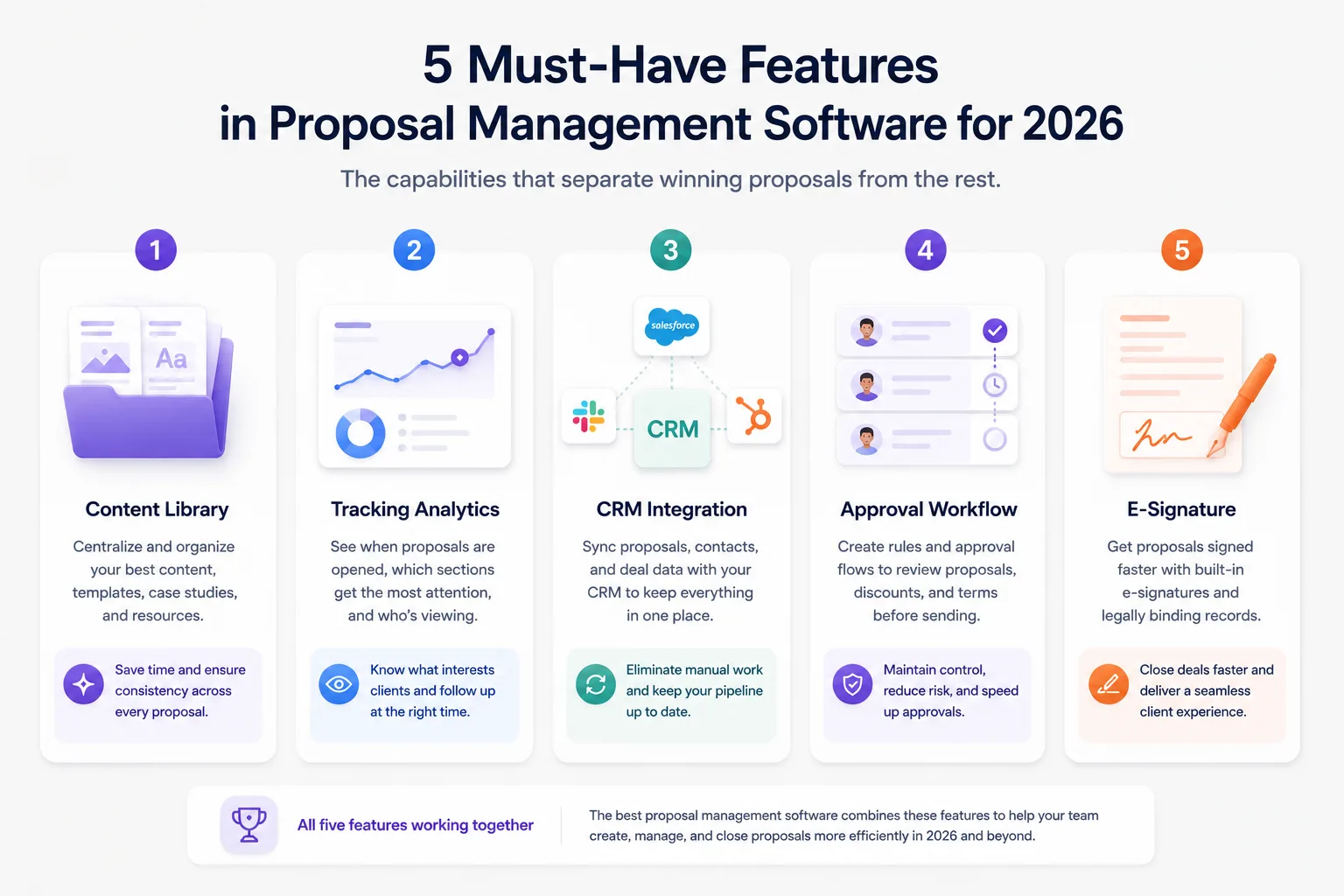
Not all features matter equally. After comparing the 10 tools below, these five are non-negotiable in 2026.
1. Content library and reusable templates. The core productivity multiplier. A good content library lets you assemble a proposal from approved blocks (case studies, pricing tables, scope sections) instead of writing from scratch every time. Look for templates that brand-apply automatically.
2. Real-time tracking and engagement analytics. Knowing when the prospect opens your proposal, which section they spent 4 minutes on, and whether they forwarded it internally is worth its weight in revenue. This single feature drives most of the ROI on proposal manager software.
3. CRM integration (Salesforce, HubSpot, or both). Without CRM sync, you double-enter client data and lose the link between proposal events and deal stages. In 2026, Salesforce + HubSpot coverage is table stakes, anything less limits future scaling.
4. Approval workflows and team permissions. For teams of 5+, manager approval on discounts, pricing exceptions, or non-standard terms prevents costly mistakes. Roles, permissions, and audit trails matter once compliance enters the picture.
5. E-signature and payment integration. Closing the loop inside the same document, sign here, pay deposit here, kick off here, eliminates the friction between "client wants to sign" and "deal is closed". Frictionless signing measurably compresses sales cycles, a pattern documented across the Salesforce State of Sales report.
The 10 best proposal manager software in 2026
1. Propal: Best for agencies and freelancers (interactive + AI)

Pricing: Free trial. From $29.99/month. Best for: Digital agencies, design studios, freelance creators closing B2B deals ($500-$15K range).
Propal blends AI generation with interactive web proposals. Beyond standard SaaS workflow (content library, tracking, e-signature, Stripe payments), Propal's differentiator is the embed-first design: Calendly bookers, Loom intros, Notion docs, and Miro boards live inside the proposal. Clients open a link, not a PDF, and can book, sign, or pay without leaving the document.
- Interactive web proposals with Calendly, Loom, Stripe, Notion, Miro embeds
- Real-time per-section tracking
- AI generation + manual control
- ICP fit: agencies and freelance creators
- Newer to market vs Proposify and PandaDoc
- Less mature for enterprise RFP needs
See our proposal templates library for live examples.
2. PandaDoc: Best all-in-one document workflow
Pricing: Essentials $19/month. Business $49/user/month. Best for: Mid-market sales teams managing proposals plus contracts, NDAs, invoices, and onboarding paperwork in one platform. Rating: 4.7/5 on third-party reviews with 3 300+ votes.
PandaDoc is the document workflow leader. Beyond proposals, it handles every contract type a sales team touches. Strong Salesforce + HubSpot integration. The content library and templates ecosystem is the deepest in the category. Best when your team is already invested in document automation broadly.
- Handles proposals + contracts + NDAs + invoices in one tool
- Deep Salesforce and HubSpot integration
- CPQ and configurable pricing
- Overkill for solo freelancers
- Pricing scales fast with team size
3. Proposify: Best for sales teams (deep analytics)
Pricing: Basic from $19/month. Best for: Mid-market sales teams with established workflows, deep page-layout control, and per-section engagement analytics.
Proposify has been a category leader for nearly a decade. Strong engagement analytics, granular page-layout control, role-based permissions, and approval workflows. Note: as of May 2026, their AI Proposal Generator is in waitlist mode, manual editor and template library remain fully usable.
- Mature platform with deep CRM integration
- Best-in-class page-layout granularity
- Approval workflows and audit trails
- AI generator currently in waitlist
- Heavier interface than newer tools
If Proposify isn't right, see our roundup of best Proposify alternatives.
4. Qwilr: Best for design-driven interactive proposals
Pricing: From $35/user/month. Best for: Marketing-led sales teams turning proposals into interactive web microsites with rich media and ROI calculators.
Qwilr pioneered the "proposal as web microsite" format. Best for teams where visual storytelling matters as much as the pricing details. Embedded ROI calculators, video, interactive pricing tables. Pricing skews higher than competitors.
- Best-in-class design and interactive elements
- Embedded ROI calculators
- Strong template library
- Higher price point than entry tools
- Steeper learning curve
See our Qwilr alternatives guide for adjacent options.
5. Better Proposals: Best human-only alternative
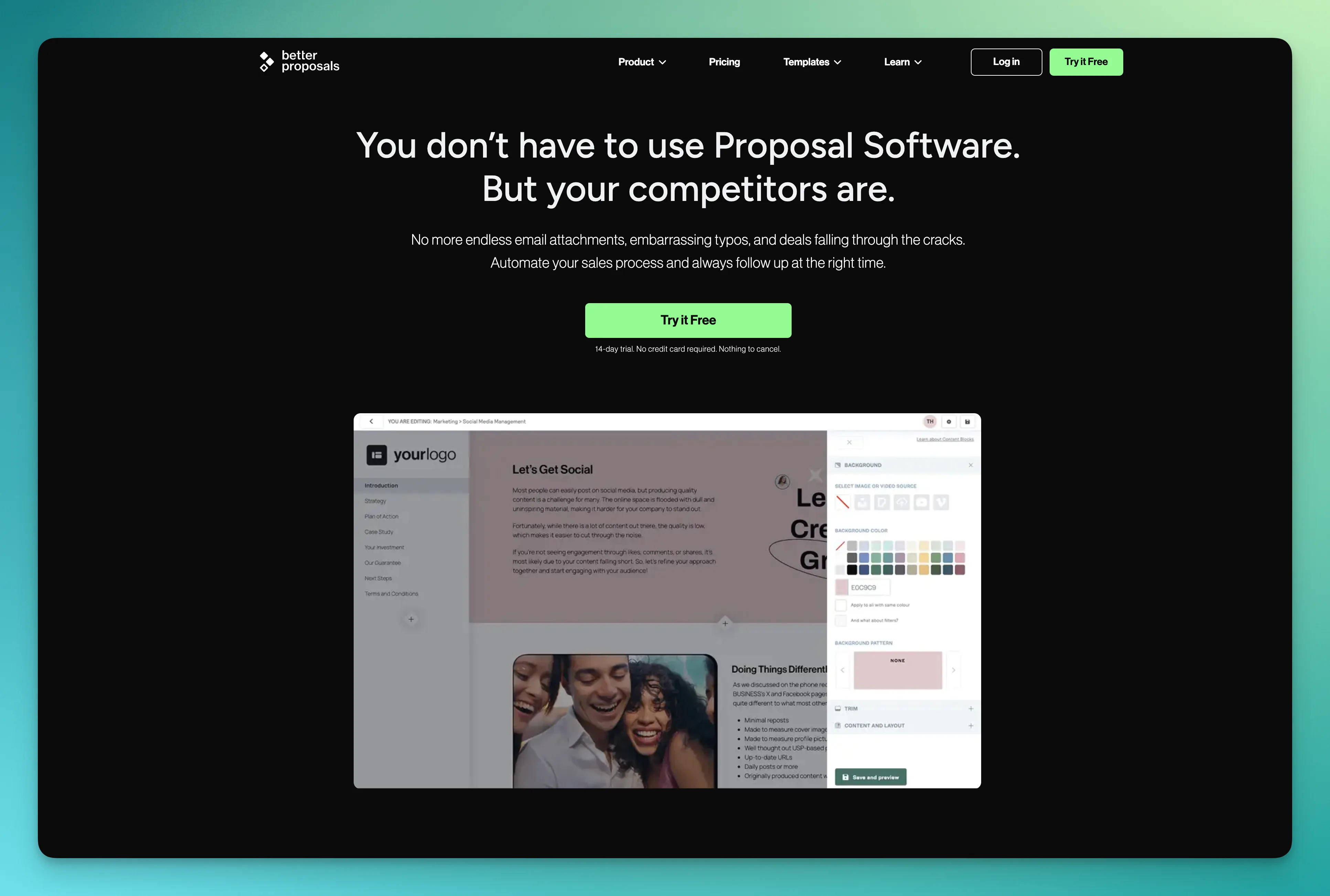
Pricing: From $19/month. 14-day trial. Best for: Teams who explicitly want a human-only workflow with no AI generation, but full interactive SaaS features.
Better Proposals takes a counter-position to the AI wave: their entire stack is "AI banned". The tool is feature-complete with interactive web proposals, e-signature, payment, document tracking with notifications, client onboarding after signature, integrations with Salesforce/HubSpot/Pipedrive/Stripe.
- Full SaaS workflow with no AI
- Built-in onboarding flow after signing
- 24-hour human support
- No AI generation (philosophy choice)
- Heavier than newer tools
6. GetAccept: Best for digital sales rooms
Pricing: Professional from $49/user/month. Best for: Sales teams running complex deals with multiple stakeholders, video personalization, and digital sales rooms.
GetAccept positions as a digital sales room, a shared space where buyers and sellers collaborate on proposals, videos, content, and signatures. Best when the deal involves 3+ stakeholders on the client side and requires personalized video walkthroughs.
- Digital sales room for multi-stakeholder deals
- Native video personalization
- Strong analytics on buyer engagement
- Pricing skews higher
- Overkill for simple 1-on-1 proposals
7. Responsive: Best for enterprise RFP
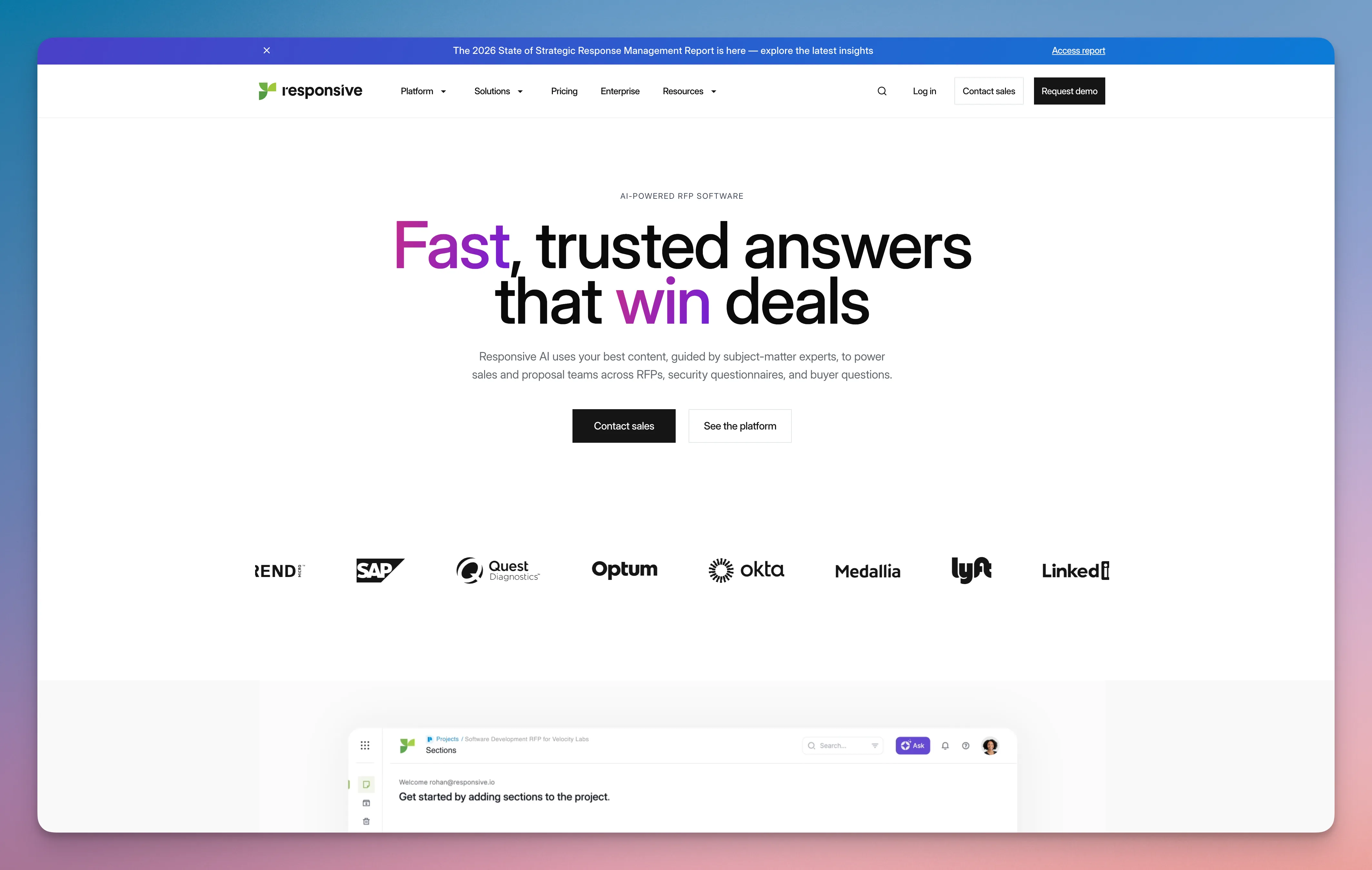
Pricing: Custom enterprise pricing. Best for: Enterprise teams responding to complex RFPs with compliance requirements, multiple SMEs, and AI-powered response automation.
Responsive (formerly RFPIO) is the enterprise RFP automation leader. AI-powered first-draft generation from a knowledge library, multi-stakeholder approval, compliance tracking, integration with content management systems. Best for security-sensitive industries (finance, healthcare, government adjacency).
- Best-in-class RFP automation
- Strong compliance and audit features
- AI-powered knowledge library
- Enterprise pricing (typically $10K+/year)
- Overkill for non-RFP teams
8. Ignition: Best for service businesses with billing integration
Pricing: Free starter. Pro from $89/month. Best for: Accountants, bookkeepers, and service businesses combining proposals with automated billing, flexible deposits, and recurring contracts.
Ignition is specifically designed for service businesses where the proposal flows directly into recurring billing. Strong fit for accounting firms, financial advisors, and consultancies with predictable monthly engagements.
- Native integration of proposals + billing + recurring contracts
- Free starter tier
- Strong for accounting and bookkeeping niches
- Niche fit, less suitable for project-based agencies
- Pricing scales with billing volume
9. Upland Qvidian: Best for complex RFP compliance
Pricing: Custom enterprise pricing. Best for: Large enterprises with formal RFP compliance requirements (government adjacency, regulated industries, complex security questionnaires).
Qvidian, part of Upland Software, is the legacy enterprise RFP platform. Deep content library management, complex approval chains, security questionnaire automation. Most mature in the space but with the heaviest implementation.
- Mature platform with deepest content library features
- Strong audit and compliance trail
- Enterprise-grade reliability
- Significant implementation effort (months, not weeks)
- Enterprise pricing only
10. Loopio: Best for RFP response automation
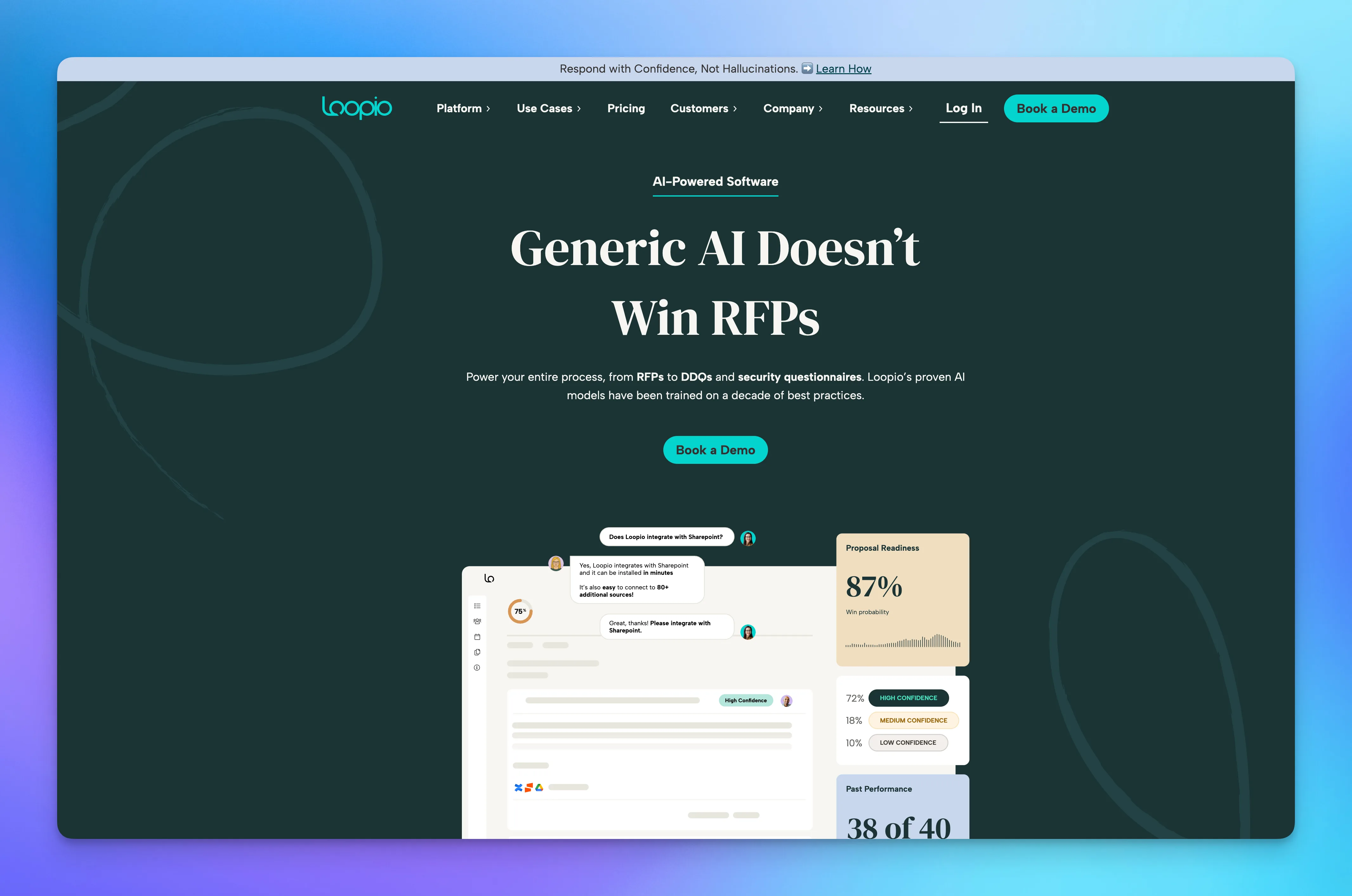
Pricing: Custom enterprise pricing. Best for: Sales engineering teams responding to high volumes of RFPs and security questionnaires with AI-powered first drafts.
Loopio focuses specifically on RFP response automation. AI extracts questions from RFP documents, suggests answers from your knowledge library, and routes complex sections to subject matter experts. Strong for SaaS sales engineering teams.
- Strong RFP response automation
- AI-powered answer suggestion
- SME routing and review workflows
- Narrow use case (RFP-focused)
- Enterprise pricing
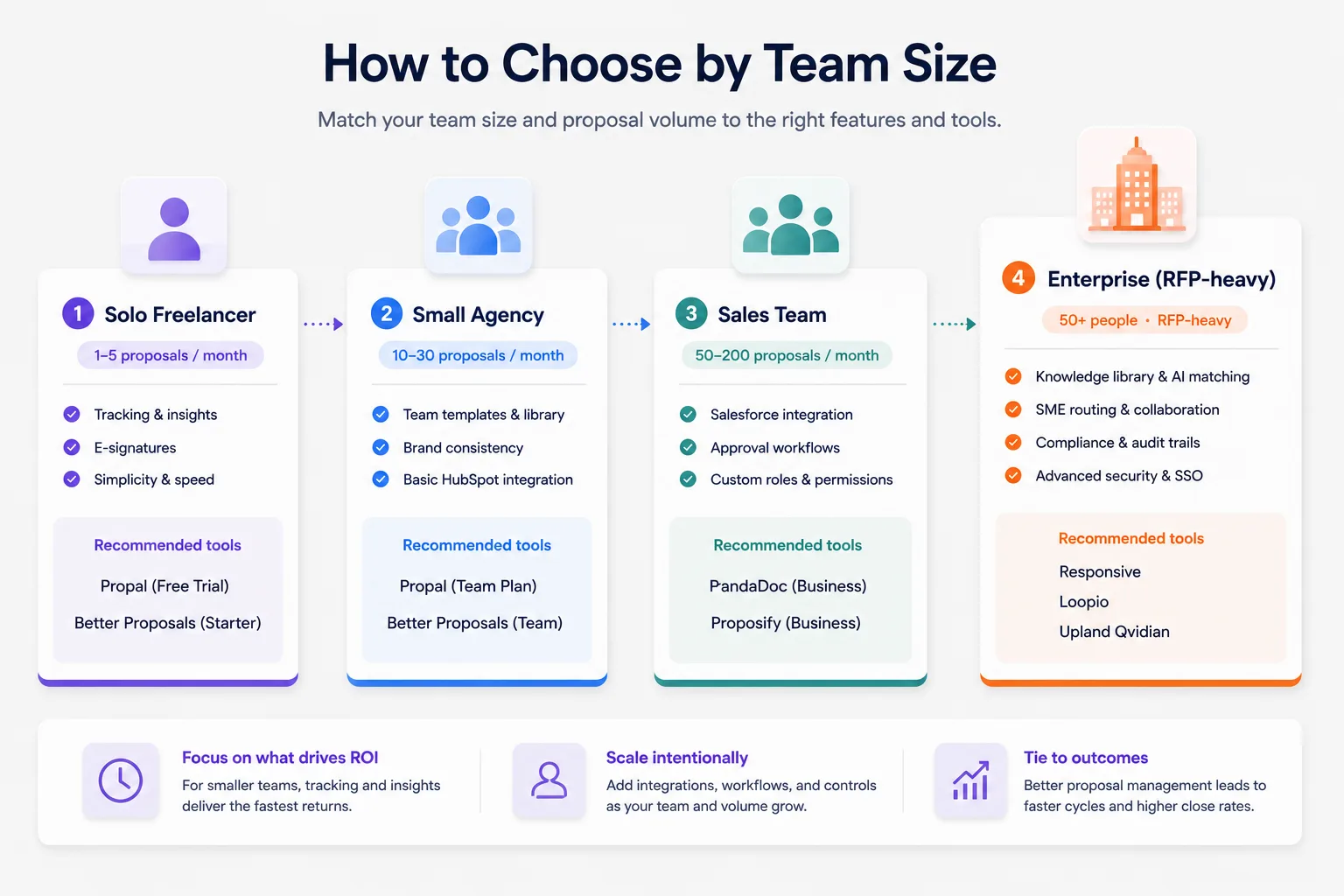
How to choose by team size
Solo freelancer (1-5 proposals/month)
Stick with the lightest option that gives you tracking and signature. Propal free trial or Better Proposals starter tier. Forget Salesforce integration, you don't need it yet. The ROI comes from knowing when the client opens your proposal, not from CRM sync. Spend the saved time personalizing each proposal manually.
Small agency (2-10 people, 10-30 proposals/month)
Now the content library starts to matter. Brand consistency across team members matters. Propal or Better Proposals at the team tier. Add a basic HubSpot integration if you have one already. Skip PandaDoc unless you also need contract management at scale.
Sales team (11-50 people, 50-200 proposals/month)
Workflow controls become non-negotiable. PandaDoc or Proposify at the business tier. Salesforce integration is critical. Approval workflows for discount exceptions. Custom roles and permissions per region or product line. Per the HubSpot State of Marketing report, disciplined proposal management is a measurable lever on close rates at this team size.
Enterprise (50+ people, RFP-heavy)
Responsive, Loopio, or Upland Qvidian. Custom enterprise pricing applies. Plan a 3-6 month implementation. The ROI comes from response time on RFPs (4 hours instead of 4 days) and from win rate uplift on complex bids (5-10 percentage points). The Gartner Magic Quadrant for Sales Engagement tracks these platforms each year.
A note on RFP management software specifically
Some teams distinguish between general proposal manager software (consultative B2B sales) and dedicated RFP management software (formal procurement responses). The RFP-specific category, Responsive, Loopio, Upland Qvidian, focuses on importing RFP questionnaires, AI-powered answer matching from a knowledge library, subject matter expert routing, and compliance audit trails. If your team responds to 20+ formal RFPs per quarter with security questionnaires and multi-stakeholder approvals, RFP management software is what you actually need, not a general proposal tool. For sub-20 RFPs per year, the general tools above handle the use case adequately.
Pricing comparison: what you actually pay
The pricing spread is huge, from free starter tiers to $10K+/year enterprise contracts. Here's the honest map.
| Tier | Monthly cost | Examples | Get | Don't get |
|---|---|---|---|---|
| Free | $0 | Propal trial, Better Proposals trial, Ignition starter | Basic tracking, 1-3 proposals | No team features, watermarks |
| Starter | $15-25/mo | Propal, Better Proposals, Proposify Basic, PandaDoc Essentials | Templates, tracking, signature | No approval workflow, limited integrations |
| Professional | $40-90/user/mo | PandaDoc Business, Qwilr, GetAccept Professional, Proposify Team | CRM sync, content library, basic approval | Full enterprise audit, advanced security |
| Enterprise | Custom ($10K+/year) | Responsive, Loopio, Upland Qvidian, PandaDoc Enterprise | Full compliance, custom workflows, SSO, dedicated CSM | N/A |
The pattern: free is for solo testing, starter for freelance/small agency, professional for sales teams, enterprise for RFP-heavy or regulated industries. Most teams overpay, picking enterprise tier when professional would do, or paying for features they never adopt. Start small and upgrade only when a specific feature gap blocks you.
Implementation: what to expect in your first 30 days
Most adoptions fail not on the software but on the rollout. Here's the realistic timeline.
Week 1. Import existing templates and content blocks into the new tool. Set up brand kit (logo, colors, fonts). Connect your primary CRM (Salesforce or HubSpot). Don't try to migrate every legacy proposal, pick the top 5 templates you use most.
Week 2. Train the first 2-3 power users (typically your senior reps or operations lead). They become the internal champions. Have them send 2-3 real proposals through the new tool and refine the template library based on what they need.
Week 3. Roll out to the rest of the team. Set up approval workflows for any deal above [your threshold]. Configure roles and permissions. Watch for friction, early friction is fixable, late friction becomes permanent workarounds.
Week 4. Measure baseline metrics: average time from send to first open, average time from send to signature, percentage of proposals that get opened at all. These become your dashboard going forward.
By day 30, the team should be sending all new proposals through the new tool. Legacy proposals can stay in the old workflow until they close. Most teams hit full adoption around day 45-60, faster if leadership is involved, slower if it's a bottom-up rollout.

5 common pitfalls when adopting proposal manager software
- Choosing the heaviest tool when you don't need its features yet. Enterprise tools have enterprise overhead. Start with starter or professional, upgrade when you hit a real limit.
- Skipping the CRM integration setup. Without it, you double-enter data and lose the deal-stage link. Allocate 4-8 hours specifically for the integration in week 1.
- Letting templates proliferate. Within 6 months, teams that don't enforce template discipline end up with 40+ slightly different versions. Designate 1-2 templates per use case and retire the rest.
- Not tracking the metrics. "Did we close more deals?" is the wrong question on day 30. Track time-to-open, time-to-sign, open-rate. These are leading indicators that move before close rate does.
- Ignoring the follow-up workflow. The biggest ROI of proposal tracking comes from the follow-up triggered by tracking signals. If reps don't act on "client opened pricing page 3 times yesterday", the tool is half-useful.
Future-proofing: AI plus CRM integration trends
Three trends shape what proposal manager software will look like by 2027.
AI-native first drafts pulling from CRM context. Today, AI generation is mostly prompt-driven (you describe the deal, AI drafts). Tomorrow, AI will pull industry, stage, past interactions, and even email sentiment from Salesforce or HubSpot to draft a deeply personalized proposal automatically. Proposify and PandaDoc lead here; expect every serious tool to follow within 12 months.
Agentic follow-up workflows. Autonomous follow-up reminders when proposals go unread for X days. AI-drafted answers to objections that arrive via email. Automatic re-pricing suggestions when prospects stall. The most advanced teams will let AI handle 60-70 % of the post-send workflow.
Multimodal proposals. Voice prompts becoming proposals. Auto-generated video walkthroughs embedded in the document. Image upload of a hand-drawn scope becomes a structured deliverables section. Template.net and Propal experiment with this today; mainstream adoption likely by 2027.
For a deeper dive on AI-powered tools specifically, see our AI proposal generators and proposal generators comparisons.
Conclusion
The right proposal manager software depends on whether you need light-weight tracking and signature (Propal, Better Proposals for solo or small agency), full document workflow (PandaDoc, Proposify for sales teams), or enterprise RFP automation (Responsive, Loopio for compliance-heavy use cases). Most teams overpay by buying the enterprise tier when professional would do.
Start with a free trial that matches your use case. Spend 30 days on the implementation (templates, CRM integration, team rollout). Measure time-to-open and time-to-sign as your leading indicators. To see the interactive format in practice, browse our proposal templates library, free with no card required.
.webp)